
Review Shopify Fraud Analysis & How to Stop Risk Earlier

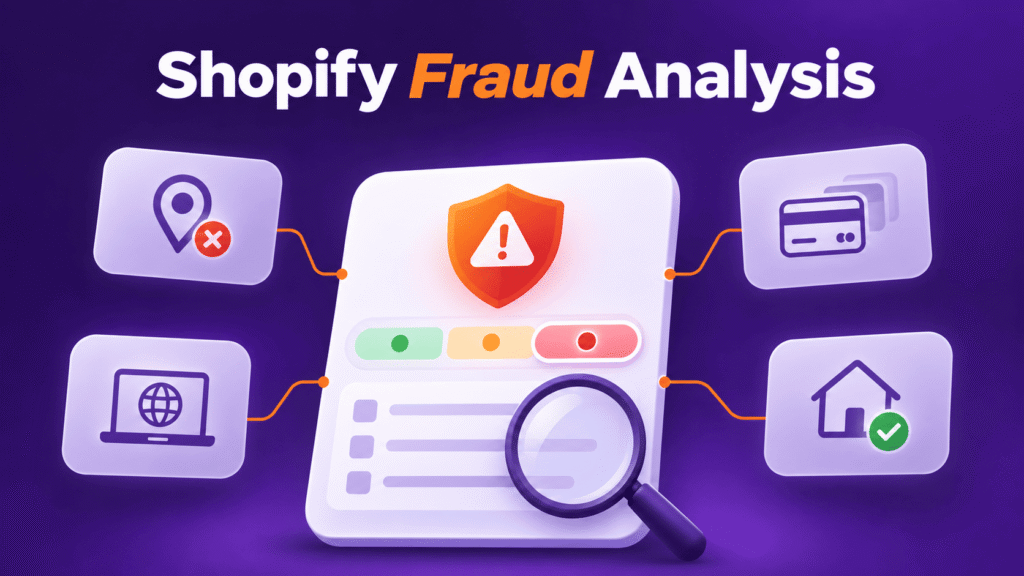
Shopify Fraud Analysis helps merchants review risky orders before fulfillment, using order-level fraud indicators and risk recommendations. But it is mainly a review layer, not a full fraud prevention system. This guide explains how Shopify’s native tool works, where it helps, and where it stops. It also shows how Blockify Fraud Country Blocker adds access control, rules, visitor analytics, and automation to help detect and block risky traffic before it becomes an order.
What Shopify Fraud Analysis Actually Does
Shopify Fraud Analysis is Shopify’s built-in order risk review feature. It helps merchants identify orders that may be fraudulent and review them before fulfillment.
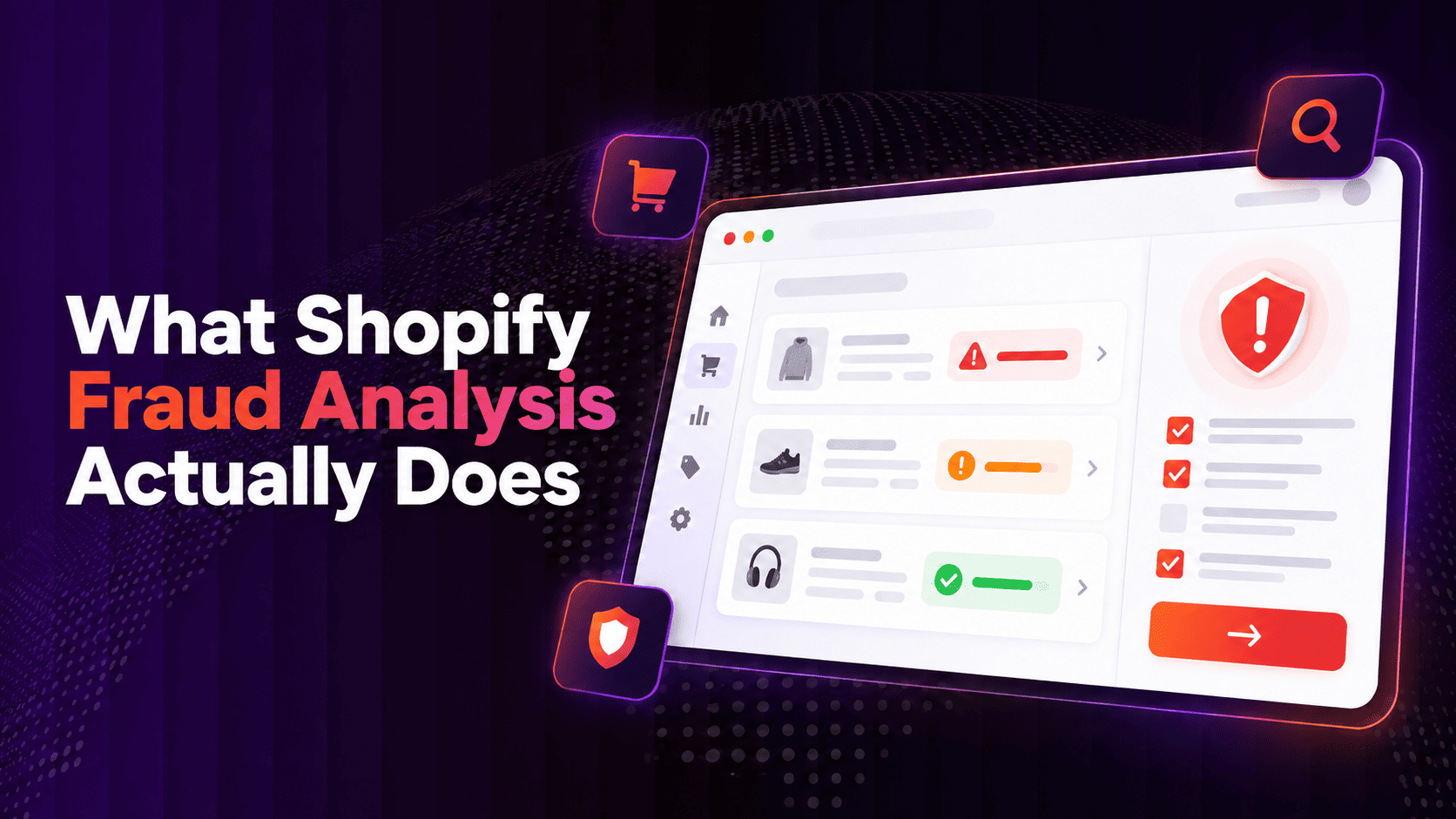
Shopify explains that fraud analysis can help you identify orders that might be fraudulent, review high-risk orders, and avoid potential chargebacks before you fulfill them. Shopify also notes that if stolen-card payments are reversed after fulfillment, the final decision is made by the card-issuing bank, not Shopify.
In plain words, Shopify Fraud Analysis helps answer:
- Does this order look risky?
- Which details make it suspicious?
- Should the team review it before shipping?
- Should the order be verified, canceled, refunded, or fulfilled?
That makes it a review layer. It helps you decide what to do with an order that already exists or a checkout attempt that Shopify Payments has evaluated.
Shopify Fraud Analysis Uses Indicators and Recommendations
Shopify Fraud Analysis has two important parts: fraud indicators and fraud recommendations.
Fraud indicators show what looks unusual
Fraud indicators are individual details about an order. Shopify says these can include whether the card passed AVS checks, whether the customer entered the correct CVV, details about the IP address used to place the order, and whether the customer tried to use more than one credit card.
These indicators help merchants investigate the order. For example, an order may look risky because the billing address does not match the card record, the IP address is far from the billing country, or there were multiple payment attempts.
A single indicator does not always prove fraud. A real customer may travel, use a VPN, send a gift to another address, or mistype payment details. The signal matters, but the full context matters too.
Fraud recommendations show the overall risk
Fraud recommendations show whether an order has a low, medium, or high risk of a fraud-related chargeback. Shopify says medium- and high-risk orders are flagged on the Orders page and can also be highlighted in order notification emails.
This makes it easier for merchants to prioritize review. A low-risk order can usually move through the normal fulfillment flow. A medium-risk order may need a closer look. A high-risk order may need customer verification, cancellation, or refund before fulfillment.
Shopify Payments can block some high-risk checkout attempts
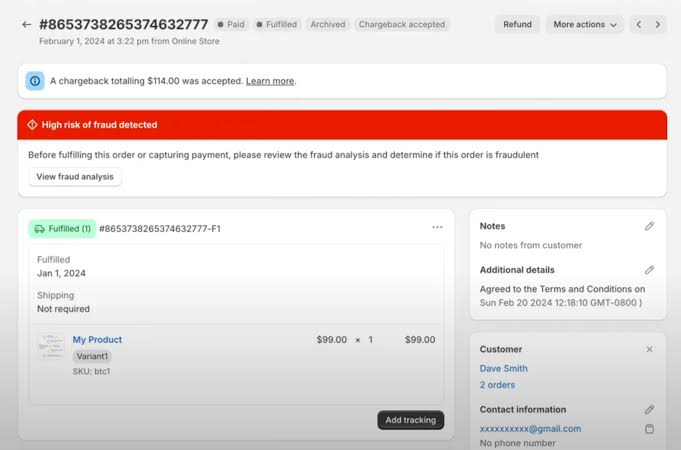
Shopify Payments can block some high-risk checkout attempts before an order is created. These blocked attempts do not become orders, so they do not receive an order fraud recommendation. Merchants can review them in the Blocked view under abandoned checkouts.
This is useful, but it should not be treated as the only native fraud prevention layer. Shopify has expanded its native tools with Fraud Control checkout rules, which can block some potentially fraudulent checkouts before they become orders when merchants use Shopify Payments. These rules can filter by details such as email, address attributes, and IP address.
Even so, Fraud Control sits closer to checkout. It does not replace every visitor-level control a merchant may need, such as broader traffic rules, country-based access control, bot filtering, VPN/proxy handling, visitor analytics, redirects, whitelists, and automation across suspicious traffic patterns.
Why Shopify Fraud Analysis Is Useful
Shopify Fraud Analysis is still an important first layer. It helps merchants slow down before shipping risky orders.
For many stores, that alone can prevent avoidable losses. A merchant may see a high-risk warning, check the order details, contact the customer, and decide not to ship. That is much better than fulfilling first and dealing with the chargeback later.
It is also easy to use because it sits inside Shopify Admin. Merchants do not need to open a separate dashboard just to review basic order risk signals.
Shopify Fraud Analysis can also support internal workflows. Shopify says merchants can use Shopify Flow to create fraud prevention workflows that automatically check orders for potential fraud.
For example, a store might use Flow to tag high-risk orders, notify the operations team, or hold fulfillment for manual review. This helps make fraud review more consistent when order volume grows.
The Main Limitation of Shopify Fraud Analysis
The biggest limitation is simple: Shopify Fraud Analysis is mainly an order risk review tool. It helps you review suspicious orders, but it is not a full active blocking layer for your storefront.
That difference matters.
Fraud prevention does not always start at the order page. Many risk patterns happen earlier in the journey, before an order is created. A store may deal with:
- Bot traffic that inflates sessions
- Repeated visits from suspicious IPs
- Visitors from countries the store does not serve
- VPN, proxy, or Tor traffic during a promotion
- Fake checkout attempts
- Scraping or spy tools
- Repeated low-value test orders
- Referrers linked to suspicious behavior
Shopify Fraud Analysis can help after an order is placed or after Shopify Payments blocks certain high-risk checkout attempts. But it is not built to let merchants fully control who can enter the store, which locations should be blocked, which IP ranges should be restricted, or which traffic should be redirected or whitelisted.
That is the gap between review and prevention.
Shopify native fraud analysis helps you ask: “Should I trust this order?”
A fraud prevention layer helps you ask earlier: “Should this risky traffic be allowed to reach the order stage at all?”
How Blockify Helps Detect and Block Before Risk Becomes an Order
Shopify Fraud Analysis is useful when a suspicious order already exists. It helps merchants review risk signals, check the order, and decide whether to fulfill, verify, cancel, or refund.
But many fraud problems start before that point.
Shopify has also expanded its native prevention layer with Fraud Control checkout rules, which can block some potentially fraudulent checkouts before they become orders for Shopify Payments users. This makes Shopify’s native fraud stack stronger than order review alone.
Still, checkout rules are only one part of the journey. A store may see traffic from countries it does not serve, repeated visits from the same suspicious IP range, bot activity during a sale, or checkout attempts from VPN or proxy connections. If the merchant only reacts at checkout or after an order is created, the team still spends time reviewing problems that may have been filtered earlier.
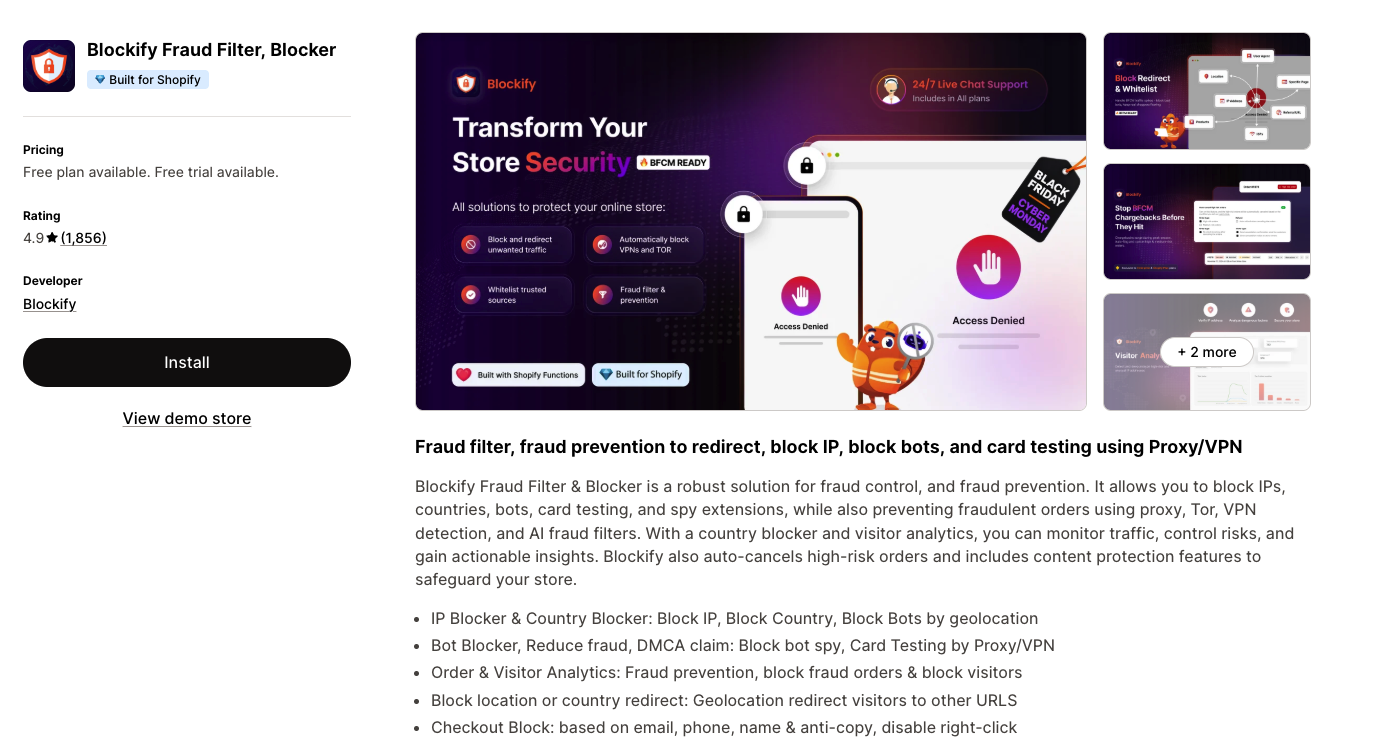
This is where Blockify Fraud Filter adds a practical visitor-level layer around Shopify Fraud Analysis and Fraud Control.
Instead of replacing Shopify’s native tools, Blockify helps merchants add more visibility and control around traffic patterns that may lead to risky orders. A merchant can use Shopify Fraud Analysis to review order risk, Fraud Control to block selected checkout attempts, and Blockify to understand and manage suspicious visitor behavior earlier in the journey.
For example, if fraud analysis keeps flagging orders from a country the store does not ship to, the issue is not only the order. The earlier issue is access. Blockify can help the merchant block or redirect traffic from that market based on the store’s policy.
If several risky orders come from the same IP range, the merchant does not have to review each order as a separate case forever. Blockify can help turn that repeated pattern into an IP rule.
If campaign traffic is filled with bots, VPN/proxy visits, or suspicious sessions, the problem may appear in analytics before it appears in orders. Blockify’s visitor analytics can help merchants review those patterns first, then decide which traffic should be blocked, redirected, or allowed.
The goal is not to replace Shopify’s native fraud stack. It is to create a cleaner layered setup: Shopify Fraud Analysis for order review, Fraud Control for selected checkout blocking, and Blockify for visitor-level analytics, access control, rules, and automation before risk keeps turning into orders.
That makes the workflow clearer:
| Store problem | Shopify Fraud Analysis helps with | Blockify helps with |
|---|---|---|
| A risky order already exists | Review fraud indicators and risk recommendation | Add rules if the same pattern repeats |
| Traffic comes from markets the store does not serve | Review any risky orders that result | Block or redirect selected country traffic |
| Bots create fake sessions or checkout attempts | Review orders that become risky | Filter bot traffic before it creates more noise |
| Suspicious IPs repeat the same behavior | Review each affected order | Block, redirect, or whitelist based on IP rules |
| VPN/proxy traffic appears in risky patterns | Review order-level risk | Restrict or review that traffic based on store policy |
The main point is not to block everything. It is to stop treating every risky order as a one-off case when the same pattern keeps appearing.
Used together, Shopify Fraud Analysis and Blockify create a better fraud prevention flow: Shopify reviews the order risk, while Blockify helps detect and control selected risk patterns before they become orders.
Shopify Fraud Analysis vs Blockify Fraud Filter
The clearest way to understand the difference is to place each tool in the buyer journey.
| Layer | Shopify Fraud Analysis | Blockify Fraud Filter |
|---|---|---|
| Main role | Risk analysis and order review | Access control and fraud prevention rules |
| Timing | After order risk is available | Before risky traffic becomes an order |
| Core use case | Review, verify, cancel, refund, or fulfill | Block, redirect, whitelist, monitor, and automate |
| Signals | Fraud indicators and recommendations | IP, country, bot, VPN/proxy/Tor, referrer, user agent, visitor and order patterns |
| Best for | Deciding what to do with risky orders | Detecting and blocking selected risky patterns earlier |
Shopify Fraud Analysis should not be replaced or ignored. It is still the native order review layer.
Blockify Fraud Filter adds the layer before that. It helps merchants control access, create rules, review visitor behavior, and respond to risk patterns before they become orders.
When Shopify Fraud Analysis May Be Enough
Shopify Fraud Analysis may be enough if your store has low fraud pressure and simple order review needs.
It may work well when:
- Fraud orders are rare
- Most customers come from expected markets
- The store does not see bot spikes or fake checkout behavior
- The team can manually review risky orders
- You only need order-level risk signals
- You do not need IP, country, bot, VPN, proxy, or redirect rules
In this case, focus on using Shopify’s native tool properly. Review medium- and high-risk orders before fulfillment. Use manual payment capture if you need time to investigate. Create Shopify Flow workflows to notify the right team member when an order needs review.
For a small store, this can be enough.
When to Add Blockify Fraud Country Blocker
Blockify becomes more useful when the problem starts before the order exists.
You may need it if your store sees repeated suspicious traffic, not just occasional risky orders.
You get traffic from unsupported or high-risk markets
If your store does not sell to certain countries, traffic from those places may waste time or create risk. Some merchants may choose to block or redirect unsupported markets.
This should be done carefully. A whole-country block can also block legitimate visitors, partners, or travelers. Review data first, then apply rules where the pattern is clear.
You deal with bot traffic or fake checkout behavior
Bots can create fake sessions, test forms, inflate analytics, scrape content, or trigger checkout activity that never turns into real revenue.
Shopify Fraud Analysis is not mainly a bot control tool. Blockify adds bot blocking and related traffic controls, which can help merchants reduce noise before it affects checkout and order review.
You see repeated suspicious IPs or referrers
If the same IPs, IP ranges, ISPs, or referrers keep appearing in suspicious behavior, order review alone may be too late. A rule-based tool helps merchants respond to the pattern directly.
You want to control VPN, proxy, or Tor traffic
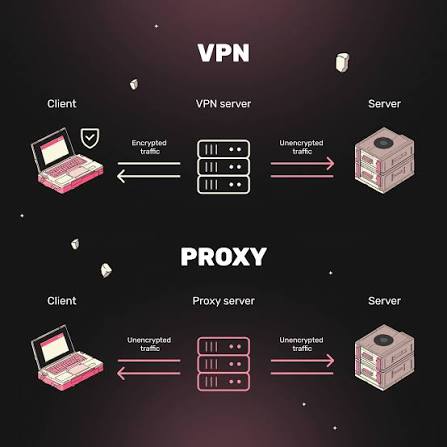
VPN, proxy, and Tor traffic can be risk signals, especially when paired with failed payments, unusual locations, or repeated low-value orders.
These signals should not be treated as proof of fraud. Some legitimate customers use privacy tools. But if these connection types create repeated store problems, Blockify gives merchants more control over how to handle them.
You need to reduce review workload during campaigns
Promotions can attract good customers and bad traffic at the same time. If the team has to review every suspicious order manually, fulfillment slows down.
A layered setup helps. Shopify Fraud Analysis can continue to review order risk, while Blockify can filter selected risky traffic earlier.
A Practical Fraud Prevention Flow for Shopify Stores
A strong fraud setup should not depend on one tool. It should use the right layer at the right time.
Start with Shopify Fraud Analysis. Review order risk before fulfillment, especially for medium- and high-risk orders. Check fraud indicators, customer history, payment details, and shipping information before making a decision.
Then create an internal review process. Decide what the team should do when an order is high risk. Should they contact the customer? Hold fulfillment? Cancel the order? Refund it? Tag it for reporting? The process should be clear before the next risky order appears.
If the store needs more time to review orders, consider manual payment capture. Shopify notes that merchants who want time to investigate orders before accepting payment can set up manual payment captures.
Next, use Shopify Flow where available. Automate internal steps such as tagging, notifications, and fulfillment holds.
Finally, add Blockify when the risk starts earlier than the order page. Use it to monitor visitor behavior, block selected IPs or countries, manage bots, restrict risky connection types, redirect unsupported traffic, and whitelist trusted visitors.
This gives the store a cleaner flow:
| Journey stage | Main risk | Best layer |
|---|---|---|
| Store entry | Suspicious country, IP, bot, VPN/proxy/Tor | Blockify access rules |
| Browsing | Scraping, repeated bad traffic, bot noise | Blockify visitor analytics and controls |
| Checkout | High-risk attempt | Shopify Payments risk handling |
| Order review | Medium- or high-risk order | Shopify Fraud Analysis |
| Internal action | Hold, tag, notify, cancel, refund | Shopify Flow and supported app automation |
This is the main idea: do not wait for every risk to become an order if the pattern is already visible earlier.
Final Thoughts
Shopify Fraud Analysis is a useful review layer. It helps merchants understand whether an order looks risky and decide what to do before fulfillment.
But fraud prevention works better when risk is handled earlier. If your store keeps seeing suspicious traffic, bot activity, unsupported-market visits, VPN/proxy patterns, or repeated bad IPs, order review alone may not be enough.
That is where Blockify Fraud Filter adds value. Shopify native gives you risk analysis and order review. Blockify adds access control, rules, analytics, and automation so you can detect and block selected risks before they become orders.
