Keeping your store safe from competitors, scrapers, and spy tools is a constant game of cat and mouse. While exact URL blocking is a great start, modern spy tools often use dynamic links with ever-changing paths or parameters, making them hard to pin down.
We’ve just made your defense system a lot smarter. Now, with Blockify Fraud Filter, you can block, redirect, or whitelist pages based on keywords in the URL (not full URL).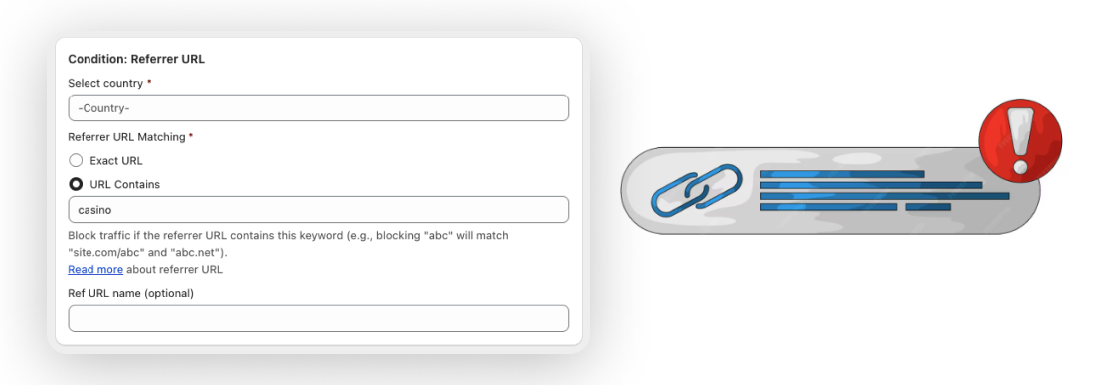
Many bots and “spy” extensions generate unique, one-time URLs to bypass traditional filters. If you only block the exact URL, they’ll simply generate a new one.
What’s New: Instead of chasing individual links, you can now target the pattern or keyword within the URL. If the keyword exists anywhere in the path or query parameters, Blockify takes action immediately.
Block: Completely stop the visitor from viewing the content.
Redirect: Send unwanted traffic to a harmless page (like your homepage or a “404 Not Found” page).
Whitelist: Ensure trusted paths – like your admin routes or specific partner pages – are always accessible, no matter the parameters.
Stop Dynamic Scrapers: Target keywords used by common spy tool link structures.
Secure Sensitive Routes: Block or redirect anyone trying to access hidden preview pages or internal inspection routes.
Manage Large Collections: Instead of whitelisting 50 individual product pages, whitelist a single keyword that covers the entire collection.
Clean Up Traffic: Redirect traffic coming from suspicious referrers that contain specific tracking strings.
Setting up a keyword-based rule is just as simple as our traditional blocking, but with much more flexibility.
Navigate: Open the Blocker & Re-director tab in the Blockify app.
Select Condition: Choose your action (Block, Redirect, or Whitelist). Under the “Select Condition” dropdown, choose Custom URL or Referrer URL contains.
Define Your Keyword: Enter the specific substring or keyword you want to match.
Note: Blockify checks this against our global database (powered by Proxycheck.io) to ensure maximum accuracy across IP addresses, countries, and ISPs.
Keyword blocking joins our robust list of existing defense criteria, including:
Location: Block by Country or State/Province.
Network: Block specific IP addresses, Ranges, or ISPs.
Catalog: Secure specific Products or Collections.
Device: Target specific User Agents or Browsers.
Don’t let dynamic links hide the threats to your store. Take control of your traffic today.