
Shopify Markets + Checkout: What’s new, what to do

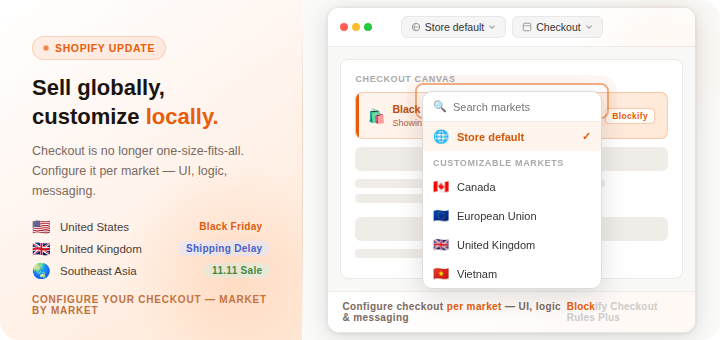
The “one-size-fits-all” checkout is officially a thing of the past. Shopify has just rolled out a major update for Advanced and Plus merchants, and we are excited to show you how Blockify Checkout Rules helps you take full advantage of it.
Your checkout is no longer a single version for the entire world. From now on, your checkout can be as global as your brand, with unique logic, messaging, and UI for every market you serve.
What’s New: Checkout Customization Per Market
Shopify Markets now allows you to adapt your checkout and account pages for specific regions. Whether you are selling in the US, EU, or SEA, you can finally tailor the post-purchase experience to fit the local context.
Why this is a game-changer:
- Localized Campaigns: Run a “Black Friday” banner for your US customers while showing a “Free Shipping” message to your EU shoppers on the same day.
- Shipping Transparency: Add a specific shipping delay notice for UK orders due to local logistics without alarming your customers in other regions.
- Market-Specific Policies: Include unique custom policies or self-serve return features only for your domestic market.
How Blockify Powers Your Global Strategy
Inside the Shopify Checkout Editor, you can now deploy Blockify components – banners, validation rules, upsell blocks, and custom messages – and configure them independently per market.
- Market-specific banners on the Order Status Page: Running different campaigns per region? Show the right message to the right customer, right after they buy.
- Localized shipping notices UK delays, AU fast delivery, US standard – add the right shipping note per market. Fewer complaints, fewer refund requests.
- Per-market checkout strategy – Different validation rules, different payment method visibility, different upsell logic – all configured independently by market.
If you are on an Advanced or Plus plan and have created at least one market in Shopify, you’re ready to go.
