Fake Signups Before BFCM: How Bot Traffic Hurts Your Email List (and How to Stop It)

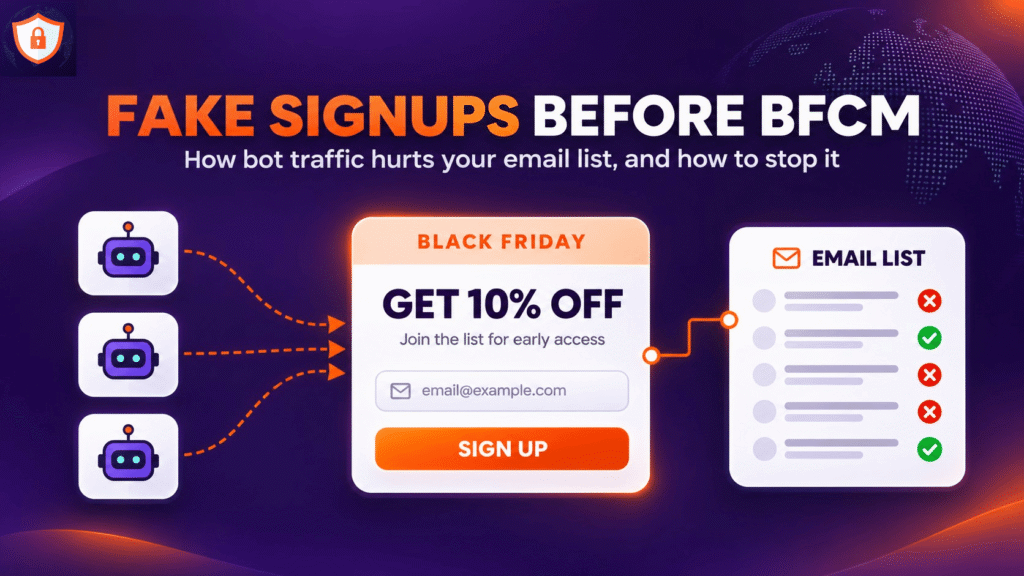
In the weeks before Black Friday, most Shopify brands watch one number with real pleasure: new email subscribers. Popups go up, discounts get bigger, and the list grows faster than at any other time of the year.
Some of that growth is not real. Bots fill in signup forms, start checkouts with email addresses they found online and grab discount codes to post on coupon sites. Klaviyo calls the worst version of this list bombing: a flood of fake submissions through a form or a checkout page that fills a list with addresses that never agreed to hear from you, or do not exist at all.
The timing is the problem. Fake signups pile up exactly when you are about to send the biggest campaigns of the year to that list. Here is what they cost, how to spot them in Shopify and Klaviyo, and how to stop them before November 27.
Why the risk peaks before BFCM
Three things happen at once in November. First, stores make their forms more tempting: bigger welcome discounts, early-access lists and giveaways, which are exactly what bots look for. Second, traffic rises, so a few thousand bot sessions hide easily among real visitors. Third, sending volume jumps. Most brands email their whole list several times between Black Friday and Cyber Monday, often including people they rarely email the rest of the year.
That last point turns a nuisance into a real problem. A few hundred fake profiles in a quiet month barely register. The same profiles inside a list you email five times in five days can be the difference between the inbox and the spam folder. Fake signups are also only one of the Black Friday scams aimed at online stores at this time of year. Fake orders, chargebacks and checkout bots tend to arrive in the same weeks, often from the same traffic.
What fake signups cost you
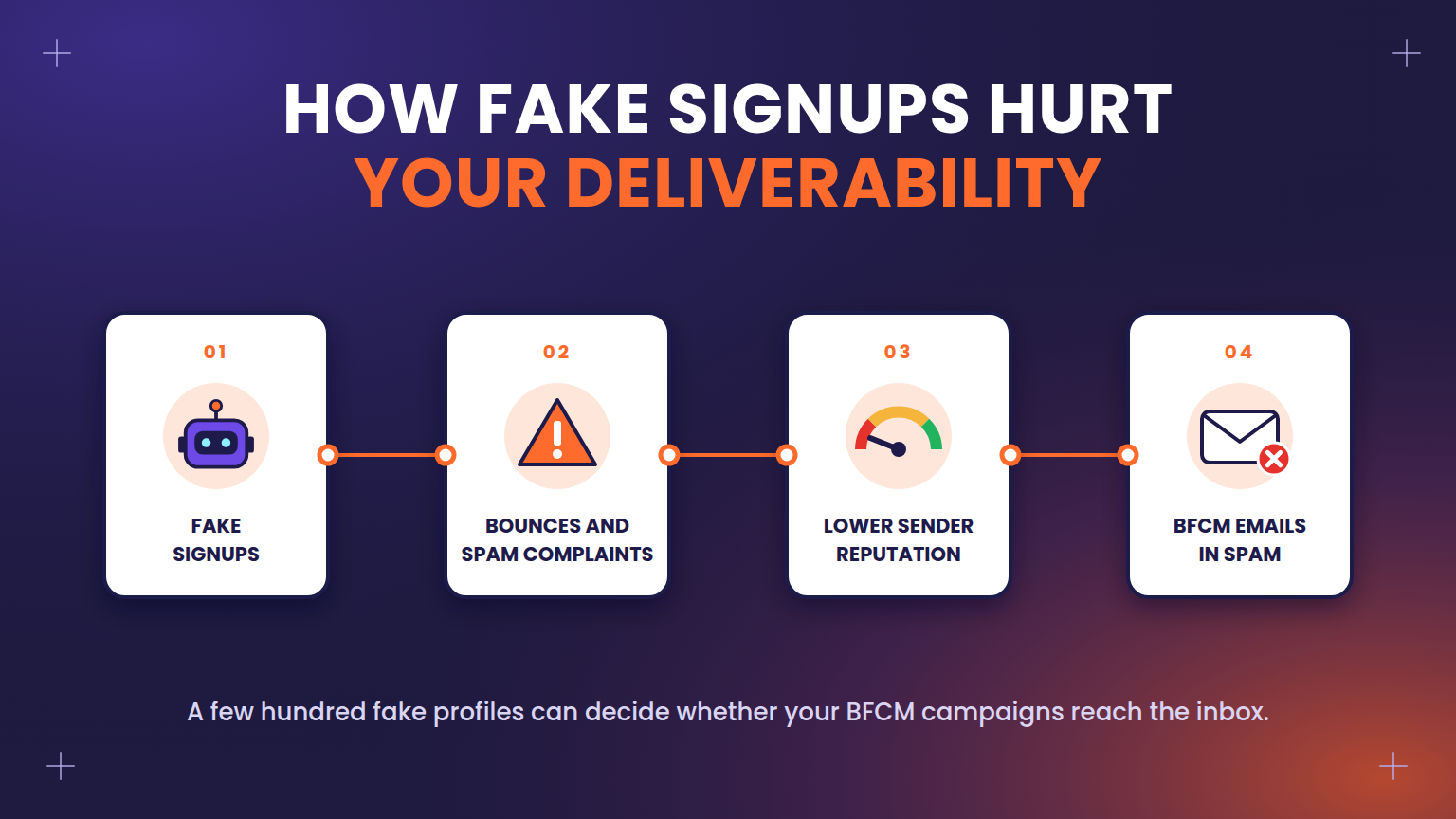
A fake subscriber looks harmless on a dashboard. The damage shows up later, in four places.
Your inbox placement. Sending to fake or unconsenting addresses means more hard bounces, more spam complaints and fewer opens. Some of those addresses are spam traps, and enough of them can get your sending domain blocklisted. Gmail and Yahoo now hold bulk senders to strict spam-complaint limits, so a bad week can push your BFCM campaigns into the spam folder.
Complaints from real people. Not every bot uses fake addresses. Many fill forms with real email addresses scraped from the web, so actual people start receiving your emails without ever having visited your store. They do the obvious thing and click “Report spam”.
Leaked discount codes. Bots target signup forms that promise a code, such as “10% off your first order”. The codes end up on coupon sites, where real shoppers pick them up and your BFCM margin goes with them.
Higher bills and worse data. Fake profiles can inflate the active profile count your email platform charges for, and they distort the numbers you use to plan: signup rate, open rate, revenue per recipient. During BFCM, when every decision is made fast, bad data leads to bad calls.
How to spot fake signups
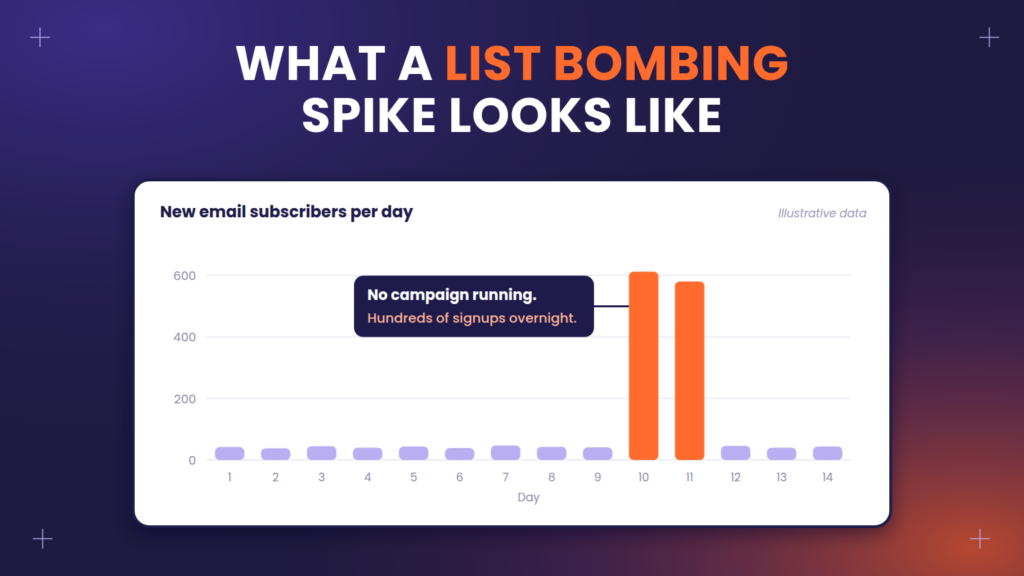
The first sign is a sudden jump in new subscribers that no campaign explains. If your list grew 30% on a Tuesday and you did not launch anything, look closer. Fake signups usually share a pattern:
- One entry point. They all come through the same form, often a footer form that asks only for an email, or a popup that gives away a code.
- A tight time window. Hundreds of signups in minutes, often at night in your main market.
- The same email domain or obviously random addresses.
- Odd names, such as random letters or the same name repeated.
- The same IP address or country, especially a country you do not ship to.
- No activity afterwards. No opens, no clicks, no orders.
Check three places in particular. In Shopify, look for a spike in new customer accounts with no orders. In Klaviyo, look at where recent profiles were added and which form or event created them. And in your abandoned checkout flow, look for checkouts started by addresses that never browse a product page: bots can start a checkout with a real person’s email, and that event syncs to your email platform like any other.
How to stop them: four layers
No single setting stops every bot. What works is a few layers, each catching what the one before missed.
Layer 1: Keep bad traffic off the store
The cheapest fake signup is the one that never reaches your form. Bots usually arrive through proxies, VPNs and data centers, often from countries you do not sell to.
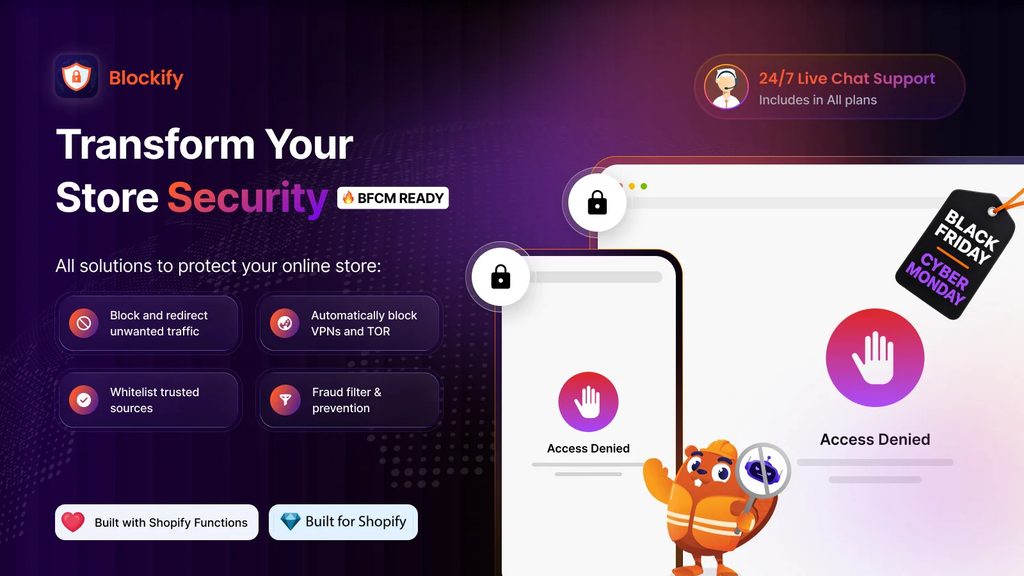
A store protection app such as Blockify Fraud Filter lets you block or redirect visitors by IP address, country, VPN or proxy use, TOR, internet provider or referrer, before they load a single page. Its visitor analytics show where a spike is coming from, so you can block the exact source instead of guessing, and its fraud filters help you catch high-risk orders from the same kind of traffic. Before BFCM, review the last 30 days of traffic and block the sources that bring sessions but never orders. A bot that cannot open your store cannot fill in your popup, start a checkout or collect a discount code.
Be careful with blocking whole countries. Check first that you do not have real customers there, and prefer blocking VPNs, proxies and known bad IPs where you can.
Layer 2: Protect every form
- Shopify forms. hCaptcha is on by default for contact, newsletter and comment forms and for customer login and account pages. Check under Online Store > Preferences > Spam protection that nobody switched it off.
- Klaviyo forms. Klaviyo automatically shows a CAPTCHA to visitors who behave like bots on forms that collect emails, phone numbers or give away coupon codes. Keep using Klaviyo’s own forms where you can, rather than a custom form that skips this.
- Custom forms. Add a honeypot: a hidden field that people never see but bots fill in. Send it to your email platform as a property, and you can find and remove every bot profile with one segment.
- Footer forms. These are a favorite target. Make sure the footer signup goes to a list with the same protection as your popup.
Layer 3: Confirm before you add
Double opt-in sends every new subscriber a confirmation email, and only those who confirm join the list. Bots do not confirm, so they never become subscribers and never receive your campaigns. In Klaviyo it is on by default, but many brands switch it off to grow faster. Check each list under Settings > Consent before BFCM.
If double opt-in feels too costly for your main list, use it at least on lists fed by forms that give away discount codes.
Layer 4: Clean the list before the big sends
At least a week before Black Friday, build a segment of suspicious profiles using the patterns you found: the same entry point, the same time window, the same domain, a filled honeypot, no opens or clicks. Review it by hand, so you do not remove real people who simply have not engaged yet, then suppress those profiles.
If you use Blockify, add its risk tags to the same review. With the Blockify Klaviyo sync, orders it flags as high-risk or medium-risk reach Klaviyo with tags such as
blockify_high_risk, so you can build a segment from them and exclude it from your BFCM campaigns and discount offers.
Also check your abandoned checkout flow. If it can send to people who never subscribed, a bot checkout with a stranger’s email means you email someone who never visited your store. Limit that flow to people who can receive marketing, or add a filter that excludes the patterns above.
Under attack right now? Do this first
If the spike is happening today, slow it down before you clean up:
- Find the entry point. Check which form or event is creating the new profiles.
- Cut off the source. Block the IPs, countries or VPN traffic behind the spike, and unpublish the targeted form if it keeps getting hit.
- Switch the affected list to double opt-in, at least until the attack stops.
- Pause flows triggered by that list, such as a welcome series, so you do not email the fake profiles.
- Suppress the profiles created during the attack once it is over.
Then go back to the four layers above, so the next attack never gets that far.
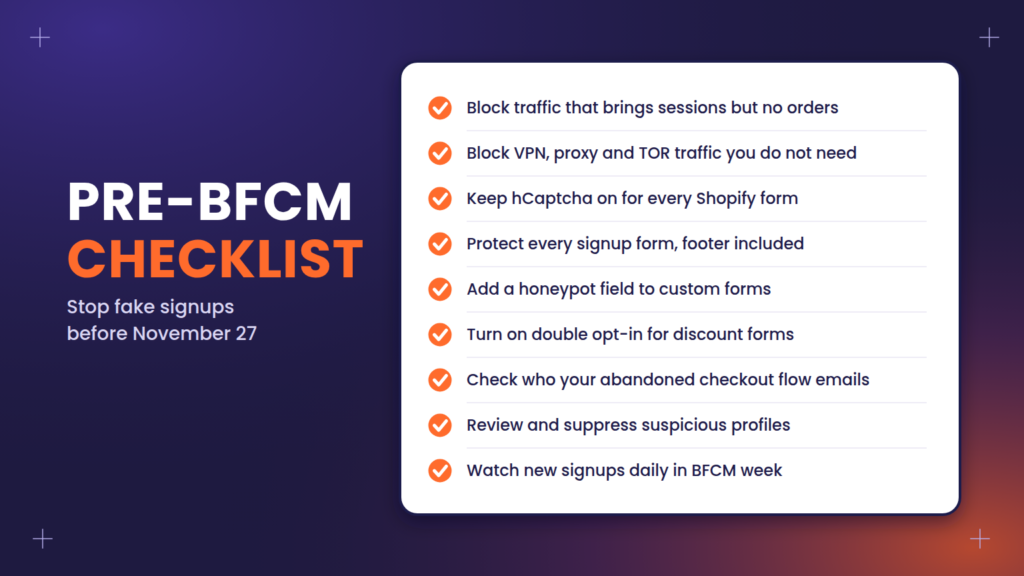
Your pre-BFCM checklist
All of this fits into one afternoon, and the earlier you do it, the cleaner your list will be on November 27. If you are preparing the rest of your store at the same time, our BFCM 2026 Shopify tips cover the platform changes worth acting on before the sale.
- Review the last 30 days of store traffic and block sources that bring sessions but no orders
- Block VPN, proxy and TOR traffic if your customers do not need it
- Confirm hCaptcha is on for every Shopify form
- Make sure every signup form, including the footer, feeds a protected list
- Add a honeypot field to any custom form
- Turn on double opt-in, at least for forms that give away a discount code
- Check that your abandoned checkout flow only emails people who can receive marketing
- Build a suspicious-profiles segment, review it and suppress the fakes a week before Black Friday
- Watch new signups daily during BFCM week, so a new attack is caught in hours, not days
- Exclude profiles tagged as high-risk by Blockify from BFCM campaigns
A smaller list of real people will outsell a big list padded with bots, especially in the one week a year when inbox placement matters most.
FAQs
What is list bombing?
List bombing is an attack where bots submit a large number of fake signups through a form or a checkout page. The list fills with addresses that are invalid or belong to people who never agreed to hear from you, which hurts your sender reputation when you email them.
Why do bots sign up to a store’s email list?
The most common reasons are to collect discount codes, to test stolen email addresses, and to flood a target’s inbox with confirmation emails from many sites at once. Whatever the reason, your store pays the price in bounces and spam complaints.
Does double opt-in stop all fake signups?
It stops fake signups from becoming subscribers, because bots do not confirm. It does not stop the submissions themselves, and it does not cover profiles created by other events, such as a bot starting a checkout. That is why it works best together with traffic blocking and form protection.
Will blocking countries or VPNs hurt real customers?
It can, if you block too broadly. Check your analytics and order history first, block the sources that bring traffic but never orders, and review the rules again after BFCM.
How do I remove fake profiles that are already on my list?
Build a segment based on the patterns of the attack, such as the entry point, the time window, the email domain or a filled honeypot field. Review it by hand, then suppress those profiles so they no longer receive marketing.
This article was written by eCommerce Today, a Shopify Plus Partner and Klaviyo Master Platinum Partner. For 11 years, eCommerce Today has worked as a fractional eCommerce department for 300+ Shopify brands, covering Shopify development, lifecycle marketing, SEO and GEO, design and CRO, and digital advertising.
