
Shopify Human or Bot Session Filter: 7 Limits to Know

Did your Shopify sessions drop and your conversion rate jump in late September 2026? You probably didn’t get better at selling overnight. Shopify changed how it counts sessions, and it now hides bot sessions from most of your reports by default.
Cleaner numbers sound like good news. But a bot hidden from your dashboard is still on your storefront. It can still add to cart, create fake checkouts, sign up for your newsletter, and test stolen cards. You just can’t see it unless you dig into your reports.
The short answer: Shopify’s Human or bot session filter is a reporting lens, not a firewall. It labels sessions as human or bot and removes bot sessions from session-based metrics. It doesn’t block bots, doesn’t show you who they are (no IP, user agent, ISP or VPN data), and doesn’t touch orders, sales or customer counts. To actually stop bad traffic, you still need a bot-blocking layer, and you need it in place before an attack, not after.
What changed in Shopify Analytics in September 2026
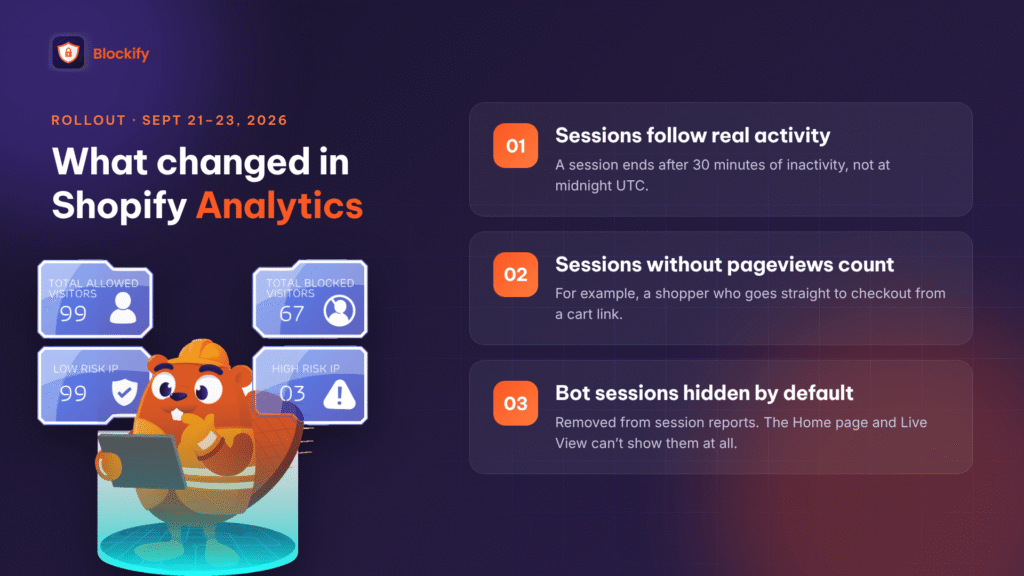
Shopify rolled out a new session measurement method between September 21 and 23, 2026 (Shopify Help Center). Three things changed:
- Sessions follow real activity. A session no longer ends at midnight UTC. It ends after 30 minutes of inactivity.
- Some sessions without a pageview now count. For example, a shopper who jumps straight to checkout from a cart link.
- Identified bot sessions are hidden by default. They’re removed from session-related reports. In reports that support it, you can switch the Human or bot session filter to bring them back.
The filter isn’t available everywhere. On the Home page and in Live View, bot sessions are removed and you can’t turn the filter off. Search and product recommendation reports also strip bots automatically, with no filter shown.
Which metrics move
Sessions, conversion rate, add-to-cart rate, reached-checkout rate, checkout conversion rate, bounce rate, pageviews per session, average session duration and online store visitors can all shift. Orders, sales and customer counts don’t.
That’s why many merchants saw conversion rate go up: the denominator (sessions) shrank while orders stayed the same. Shopify itself says to treat the update as a new baseline, not a performance change.
How to see the bots Shopify is hiding
- In your Shopify admin, go to Analytics > Reports.
- Open a sessions report, such as Sessions In your Shopify admin, go to Analytics > Reports.by landing page or Sessions by device.
- Click Controls, then find the Human or bot session row under Filters.
- Set it to is Bot to see only bot sessions, or add Human or bot session as a dimension to see both side by side.
The change applies only to the report you’re viewing, so you’ll need to repeat it per report.
How Shopify classifies human vs. bot sessions
Shopify checks every event in a session (a page view, a click, a checkout start) against its own criteria, then labels the whole session as human or bot (Shopify Help Center).
The system is deliberately conservative. Shopify would rather miss a bot than mislabel a real shopper. Its own example shows a session with 4 bot-like events and 2 human-like events still classified as Human, because some human activity was present.
That’s a sensible trade-off for analytics. It also means the bot count in your reports is a minimum, not the full picture.
7 limitations of Shopify’s Human or bot session filter
The filter does one job well: it cleans up your marketing metrics. Here’s what it doesn’t do, and why each gap matters for your store.
1. It hides bots. It doesn’t block them.
Shopify is upfront about this. Its help article explains that blocking bots outright would hurt SEO indexing and social previews, so it chose to label and filter them in reports instead. The bot still loads your pages, hits your cart and reaches your checkout. Only your reports stop counting it.
2. Out of sight, out of mind
Before this update, a bot attack often showed up as a strange traffic spike and a sudden conversion rate drop. That was your early warning. Now bots are removed by default, and on the Home page and Live View you can’t even turn them back on. The screens you check every morning can look calm while bots hit your store.
3. A label with no identity
Shopify tells you a session was a bot. It doesn’t tell you which IP, country range, ISP, data center, user agent or VPN it came from. Without those details, you have nothing to build a blocking rule on.
One app developer on the Shopify Community described a store with about 107,000 sessions from Singapore in a week, roughly 98,000 of them labeled as bots (Shopify Community, Aug 2026). The report gave no source IPs. The only option left was to block all of Singapore, along with every real customer there.
4. It misses bots by design
Because classification is conservative, mixed sessions often count as human. Shopify also notes that sophisticated automated traffic may not be classified right away while its system learns new patterns.
5. Orders, sign-ups and checkouts aren’t filtered
Bot filtering applies only to session metrics. A card-testing bot’s order still lands in your order list. A fake account still lands in your customer list and your email flows. Shopify’s own bot guide lists fake sign-ups, card testing and fraudulent orders as harmful bot activity (Bot types and intents).
6. Limited history and a reset baseline
Bot classification only exists for sessions from October 7, 2025 onward. Older data can’t be filtered the same way, and comparisons across September 21, 2026 mix two measurement methods. That makes a slow, long-term rise in bot traffic harder to spot.
7. Shopify’s native bot protection is narrow
Shopify does have a checkout Bot protection feature, but it’s for Shopify Plus stores, must be activated through Plus support, and runs as scheduled events of up to 60 minutes. Shopify says it’s built to limit auto-checkout bots during high-demand drops, not to fight bot-related fraud (Shopify Help Center). On standard plans, merchants have no native way to block a specific malicious visitor.
Why hidden bot traffic is a real risk for Shopify stores
With bots hidden by default, the question changes from “How do I fix this bot attack?” to “How would I even know one started?”
Until now, most merchants found a bot blocker after something broke: a traffic spike, a pile of fake sign-ups, a chargeback, a sudden drop in conversion rate. The pain was visible, so the search began. The September 2026 update removes that early warning from the screens merchants check most.
That changes when bot protection belongs in your stack:
| Reactive (the old way) | Preventive (what this update calls for) | |
|---|---|---|
| When you act | After you notice damage | Before any attack |
| What tips you off | Session spikes, conversion rate drops | Not needed: rules run automatically |
| Cost of waiting | Fake orders, chargebacks, polluted email lists, wasted ad spend | Minimal |
| Visibility | Depends on Shopify reports | Your own visitor log with bot identity |
Think of it as a seatbelt: you buckle up before the drive, not after the crash. A bot blocker running in the background is low-cost insurance for the day an attack starts and your dashboard stays quiet.
Shopify Analytics vs. Blockify Fraud Filter: reporting vs. protection
Shopify Analytics answers marketing questions: how many real people visited, and how well did they convert? Blockify answers security questions: who is this visitor, and should they be allowed in?
| Shopify Human or bot session filter | Blockify Fraud Filter | |
|---|---|---|
| Main purpose | Cleaner marketing metrics | Identify and stop bad traffic |
| What happens to bots | Hidden from session reports | Detected, logged and blocked or redirected by your rules |
| Bot details shown | Human or Bot label only | IP, location (country, state, city), ISP, user agent, VPN/proxy/Tor, referrer |
| Can you act on it | No | Yes: block, redirect or whitelist |
| Covers checkout and orders | No (sessions only) | Yes: checkout block rules, fraud order filters and analytics |
| Available on | All plans (native checkout bot protection is Plus only) | All plans, free plan included |
The two work best together. Use Shopify’s filter to read your marketing numbers. Use Blockify to decide who gets in. One note: visitors Blockify blocks may still show up in Shopify’s session reports, because of how Shopify records visits. To see what Blockify actually stopped, check its visitor log rather than Shopify’s session count.
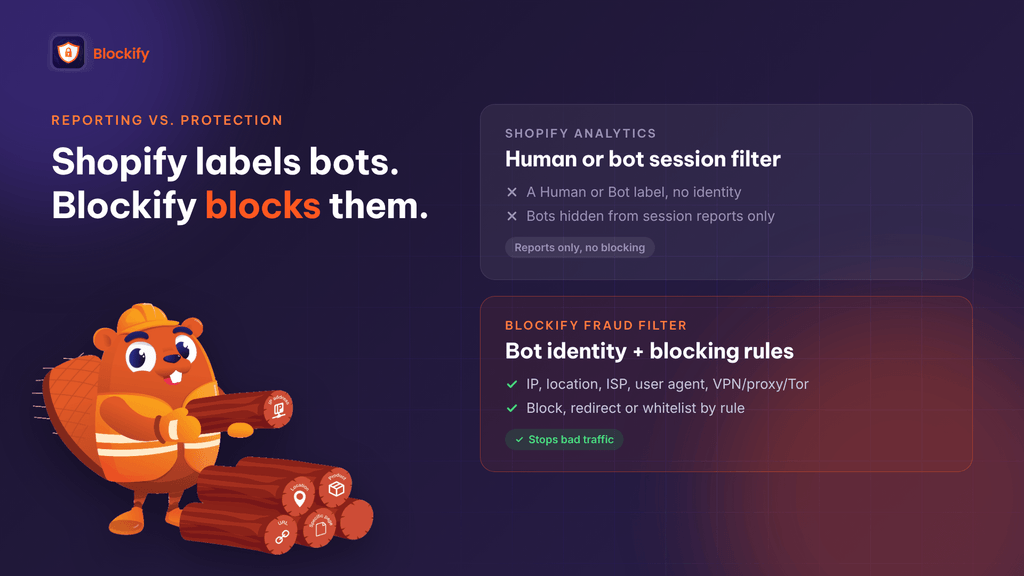
How Blockify Fraud Filter blocks the bots Shopify only hides
Blockify turns “a bot was here” into “this bot, from this network, gets blocked.” Blockify is a Built for Shopify app with a 4.9-star rating from more than 1,800 merchant reviews on the Shopify App Store (as of October 2026).
1. Bot identity, not just a label
Blockify’s visitor analytics logs each visitor with IP, location, ISP, device, browser and whether they’re on a VPN, proxy or Tor. When traffic looks unusual, you see exactly where it comes from instead of guessing.
2. Automatic spam-bot blocking
Blockify’s auto-block flags bots using three signals: unusual on-site behavior (rapid clicks, erratic scrolling, zero engagement), known bot user agents, and suspicious or incomplete browser and device data. It runs in the background, so your protection never depends on spotting a problem first.
3. Precise rules instead of blunt country bans
Remember the store with 98,000 bot sessions from Singapore? With Blockify, you don’t have to choose between blocking a whole country and doing nothing. You can:
- Block or redirect by IP address, country, state or city
- Auto-block VPN, proxy and Tor connections
- Block by ISP, referrer URL or user agent (common data-center and scraper fingerprints)
- Whitelist trusted visitors so they never get caught
4. Protection that reaches checkout and orders
Shopify’s filter stops at session metrics. Blockify goes further:
- Checkout blocking by email, phone or name, to stop card-testing bots that reuse the same details
- Fraud order filters and analytics to flag high-risk orders, with auto-cancel on higher plans
- Content protection (anti-copy, right-click disable) against scrapers cloning your store
- Shopify Flow and Klaviyo integrations to automate the response
A merchant review from October 25, 2026 describes card-testing bots creating checkouts with the same phone and address, stopped by phone and address block rules plus Proxy/VPN and Tor blocking (Shopify App Store).
Plans at a glance
| Plan | Price | Bot-related highlights |
|---|---|---|
| Free | $0 | 2 active IP/country block rules, analytics for the first 200 visitors |
| Premium | $9.99/mo | 50 rules, auto-block VPN/proxy/spam bots, content protection, fraud order analytics |
| Enterprise | $29.99/mo | Unlimited rules, Tor blocking, ISP/referrer/user-agent blocking, checkout conditions, fraud order filters, Flow and Klaviyo |
| Shopify Plus | $59.99/mo | All features, dedicated onboarding |
Prices from the Shopify App Store listing, October 2026. All paid plans include a 3-day free trial.
How to protect your Shopify store from bots: a 6-step setup
Do this during a quiet week, not in the middle of an attack.
- Install Blockify and turn on visitor analytics. Let it run for a week to learn what normal traffic looks like for your store.
- Enable auto-block for VPN, proxy and spam bots. This catches the most common automated traffic without manual rules.
- Whitelist the visitors you need. Keep search engine crawlers, your own team and trusted partners unblocked so SEO and operations aren’t affected.
- Add checkout rules. Block repeat emails, phone numbers or names tied to fake checkouts or chargebacks.
- Review the visitor log weekly. Look for clusters by ISP, user agent or region, and turn them into block or redirect rules.
- Still check Shopify’s bot share monthly. Add the Human or bot session dimension to a sessions report. A rising bot share is a signal to tighten your Blockify rules.
FAQ
Does Shopify block bots on my store?
Not through the Human or bot session filter. That filter only removes bot sessions from reports. Shopify runs platform-level protections it manages itself, and Shopify Plus stores can schedule checkout bot protection for high-demand drops. Standard plans have no native tool to block a specific visitor.
Why did my Shopify conversion rate go up in September 2026?
Shopify’s session measurement update (September 21–23, 2026) started hiding bot sessions by default. Fewer sessions with the same number of orders means a higher conversion rate. Your store’s performance may not have changed at all.
Can I see the IP address of bots in Shopify Analytics?
No. Shopify shows whether a session was human or bot, but not its IP, user agent, ISP or VPN status. A bot-blocking app with visitor analytics, such as Blockify, logs those details.
Does Shopify’s bot filter remove fake orders and fake sign-ups?
No. Bot filtering only affects session-based metrics. Orders, sales and customer counts are unchanged, so bot orders and fake accounts still appear in your admin.
Do I still need a bot blocker if Shopify filters bots?
Yes, if you want to stop bots rather than just stop counting them. Since bots are now hidden by default, a blocker running in the background is the safer setup: it protects you before you’d otherwise notice an attack.
Bottom line: clean reports aren’t the same as a safe store
Shopify’s Human or bot session filter is a real improvement for reading your marketing data. But it was built to answer “how are real shoppers behaving?”, not “who is attacking my store?” Bots still reach your storefront and checkout, they’re now hidden from the screens you check most, and Shopify gives you no identity to act on.
That makes bot protection something you set up in advance, not something you scramble to find after the damage shows up. Blockify Fraud Filter gives you the missing half: who each visitor is, and rules to keep the bad ones out.
