
Unlock Free Lifetime Post-Purchase Upsell with Early Access PPU in Blockify Checkout Rules

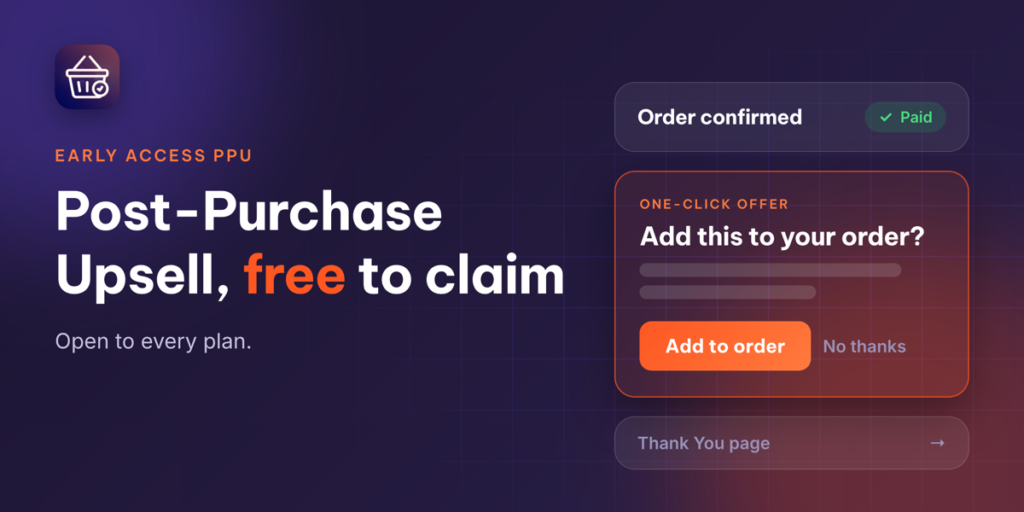
Increase average order value without adding friction to your checkout experience. We are excited to announce Early Access Post-Purchase Upsell (Early Access PPU) for Blockify Checkout Rules!
Post-Purchase Upsell allows you to present a targeted, one-click offer to customers immediately after they pay – right before they land on the Thank You page. Because payment information is already secured, customers can add items to their existing order with a single click without re-entering payment details or repeating the checkout steps.
Why Join the Early Access PPU Program?
By claiming Early Access PPU today, your store gains immediate access to powerful upsell tools along with long-term benefits:
- Free Access for Life: Get Post-Purchase Upsell free for as long as Blockify Checkout remains installed on your store. Even if Post-Purchase Upsell becomes a paid feature in future releases, stores that claim during Early Access keep their free access status.
- Available Across All Plans: Whether you are on the Free, Basic, Premium, or Plus plan, Early Access PPU is available to your store immediately.
- Shape the Future of Blockify: Work directly with our product team. Share feedback, suggest improvements, and influence the features we build next.
Note for existing users: Stores that created a Post-Purchase Upsell offer prior to this update have been automatically granted Early Access PPU status – no manual claim required!
How to Claim Early Access PPU in 3 Quick Steps
Claiming your free access takes less than a minute directly inside your Blockify dashboard:
- Locate the Claim Prompt: Open Blockify Checkout Rules. You can find the Claim Early Access prompt in three convenient locations:
- The banner on your Home tab
- The card above the Offers table in the Post-Purchase Upsell section
- The Call-to-Action block above the PPU performance metric area in Analytics
- Click Claim: Select the Claim Early Access button. This will automatically open our support chat (Crisp) with a pre-written claim request message ready.
- Send & Activate: Send the message. Our team will verify and activate Early Access PPU for your store in our system. Once enabled, an Early Access badge will appear in your app interface, and the banners will disappear.
Important Details to Keep in Mind
- Continuous Installation: Your free access to Early Access PPU remains active as long as Blockify Checkout stays installed on your Shopify store. If the app is uninstalled, the Early Access privilege ends. Reinstalling the app later will require you to claim Early Access PPU again.
- Dedicated Support: Need assistance setting up your first post-purchase upsell offer? Our team is standing by to help. Reach out anytime via live chat inside the app or reply directly to our updates.
Ready to boost your revenue per order? Log into Blockify Checkout Rules and claim your Early Access PPU today!
