
Block VPN at Checkout on Shopify Plus With Its Own Risk Score

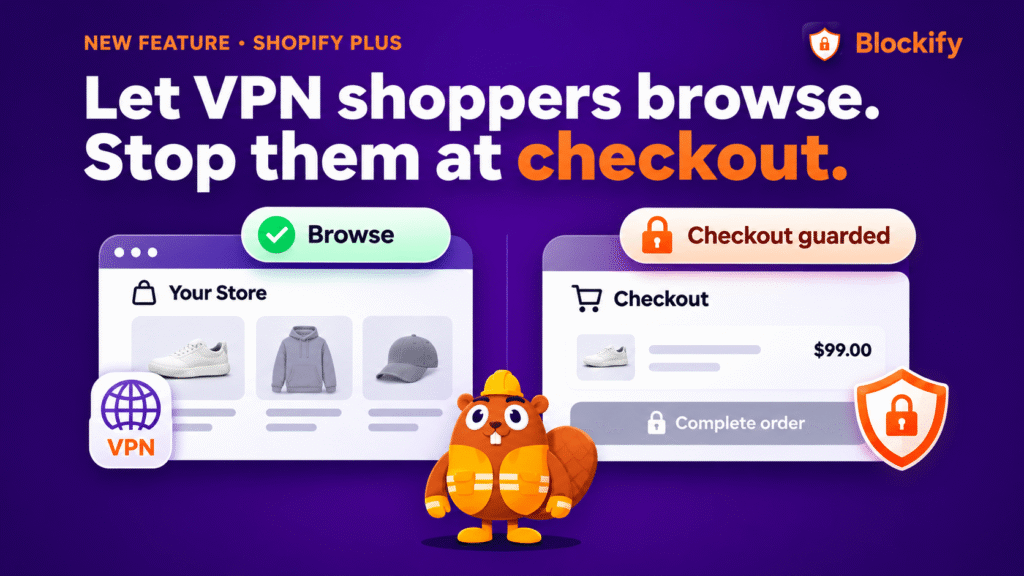
Someone opens your store with a VPN on. It could be a work laptop, a privacy app or iCloud Private Relay running in the background. For Shopify Plus merchants, deciding whether to block VPN at checkout used to be all or nothing: block VPN traffic and you lose genuine buyers, let it through and payment stays open to risky connections.
Blockify Fraud Filter now gives the VPN/Proxy rule in Block checkout access its own risk score threshold, separate from your global Risk Mitigator settings. Shoppers can keep browsing your storefront, while checkout gets as strict as you need.
VPN/Proxy checkout rules now have their own risk score threshold
Before this update, the VPN/Proxy rule had no threshold of its own. It used the Risk score starts at value from Settings -> Risk Mitigator, so changing that number for any reason also changed your checkout rule, without notice. Now each VPN/Proxy checkout rule keeps its own number.
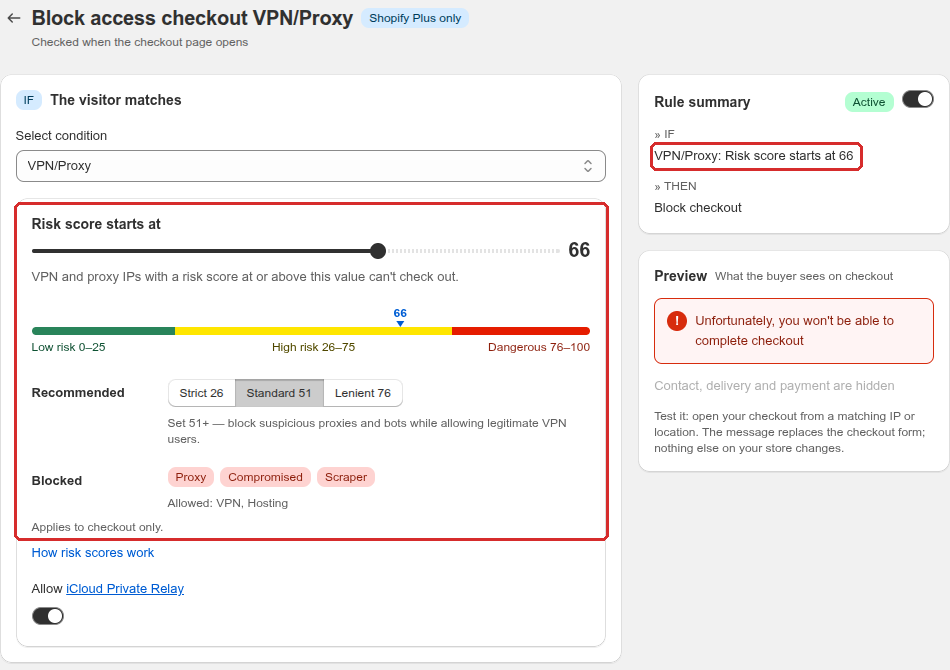
- Own threshold: each VPN/Proxy rule has a Risk score starts at card, set from 0 to 100. New rules start at 66.
- Recommended presets: one click sets Strict 26, Standard 51 or Lenient 76.
- Built-in guidance: a three-level color bar, a Blocked row and How risk scores work show what each value stops, with the note “Applies to checkout only.”
- iCloud Private Relay toggle: each rule has its own Allow iCloud Private Relay switch.
- Availability: Shopify Plus stores on the Enterprise or Shopify Plus app plans. On Free and Premium, the form stays locked as before.
Why a separate checkout VPN threshold protects revenue
- Keep browsing traffic: your storefront can stay open to VPN visitors so they can view products, while the stricter rule applies only where payment happens.
- Tighter control where fraud costs money: set checkout to Strict while your storefront blocking stays at a looser level.
- No more silent drift: changing the threshold in Settings no longer moves your checkout rule. Each number does one job.
- Fewer blocked Apple shoppers: the iCloud Private Relay switch lets Safari users on Apple’s relay check out when you choose to allow them.
- Clear audit trail: the Rule summary shows the saved value, for example “VPN/Proxy: Risk score starts at 66”, so your team sees what the rule enforces at a glance.
What shoppers see when you block VPN at checkout
For shoppers, the experience works as before. The difference is which number decides the outcome.
- Browsing: checkout access rules don’t stop browsing. Whether a VPN visitor can view your store depends on your storefront rules.
- Score at or above your threshold: the shopper can’t complete checkout, no order is created, and they see the Error message you wrote for the rule.
- Score below your threshold: checkout goes through normally.
- iCloud Private Relay users: they can check out when Allow iCloud Private Relay is on for the rule.
How to set up a VPN/Proxy rule in Block checkout access
Before you start: add the Blockify Checkout UI block
Block checkout access rules only work after you add the Blockify – Checkout UI block in Shopify’s checkout editor with Allow app to block checkout ticked. Without it, rules save but never block. See the Block checkout access guide for the checkout editor steps.
Quick setup (6 steps)
- In Blockify, go to Block Checkout and click Create rule.
- In the Create a rule window, under Block checkout access, choose Block VPN/Proxy.
- Set Risk score starts at: type a value from 0 to 100 or pick Strict 26, Standard 51 or Lenient 76.
- Turn Allow iCloud Private Relay on or off for this rule.
- Write the Error message shoppers see when they are blocked. VPN/Proxy rules need their own message.
- Optionally add a private Note for your team, check the Rule summary, then click Save.
Choosing a VPN/Proxy risk score for checkout
Connections with a score at or above your value are blocked, so a lower number means a stricter rule. Blockify groups scores into three levels:
- Low (0-25): blocked only when you set a very strict value. A value of 0 blocks every VPN/Proxy IP.
- High (26-75): blocked from Strict 26. Standard 51 blocks the upper part of this range.
- Dangerous (76-100): blocked by every preset, including Lenient 76.
The Blocked row updates as you change the value, so you can see which connection types the rule stops before you save.
Block VPN at checkout without closing your storefront
VPN and proxy traffic isn’t automatically fraud. Many real shoppers browse through work networks, privacy apps or iCloud Private Relay, and blocking them all costs you sales. The risk sits at payment, where a hidden connection can turn into a chargeback or a fraudulent order.
A checkout-only risk threshold lets Shopify Plus merchants treat those two moments differently. Your storefront stays open to genuine visitors, your checkout applies the level of VPN and proxy protection your business needs, and your global settings no longer change checkout behavior behind the scenes. With Blockify Fraud Filter, you block VPN at checkout on your own terms and keep the traffic that pays.
Block risky VPN checkouts without losing browsers
Set a checkout-only VPN/Proxy threshold in Blockify Fraud Filter and keep your storefront open.
Install Blockify Fraud Filter