
22 New Shopify Flow Templates for Blockify Fraud Filter

Manual fraud inspection is one of the most persistent operational bottlenecks for growing Shopify brands. When your team has to manually cross-reference billing addresses, evaluate first-time buyer spend, and cancel high-risk orders one by one, fulfillment slows down and chargeback risks escalate. Conversely, overly rigid default rules risk canceling legitimate orders, alienating loyal customers, and driving down your conversion rates.
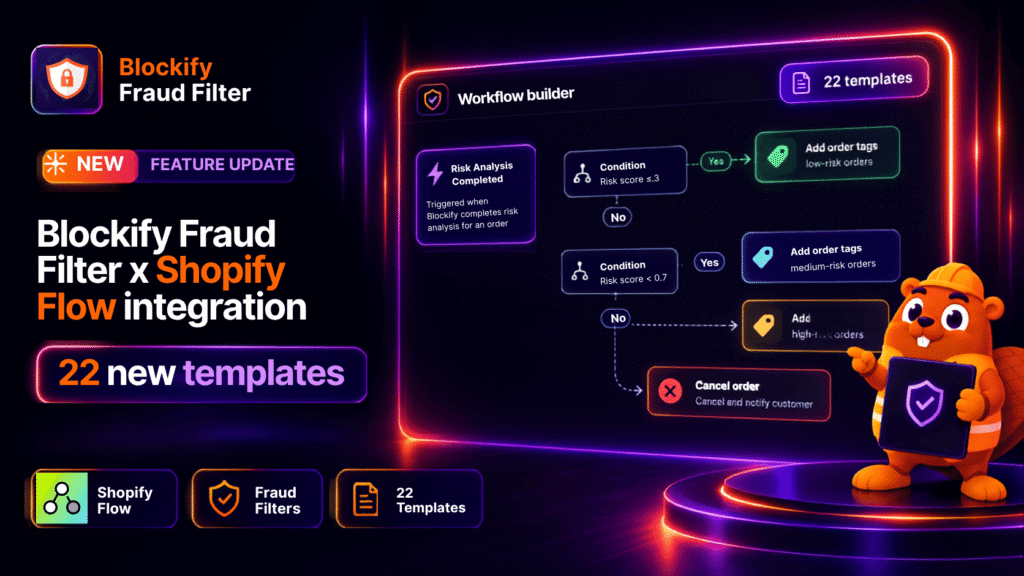
To eliminate this operational friction, Blockify Fraud Filter has expanded its integration with Shopify Flow, growing our ready-to-use template library from 3 to 25. By pairing Blockify’s risk engine with native Shopify Flow automation, merchants can now deploy custom, end-to-end anti-fraud logic without writing a single line of code or building workflows from scratch.
22 New Shopify Flow Anti-Fraud Templates and Write-Back Actions
This release introduces 22 pre-built Shopify Flow templates designed around the primary operational risks faced by e-commerce merchants. In addition to expanding workflow options, this update introduces two bidirectional write-back actions that allow Shopify Flow to actively manage Blockify’s IP blocklists and allowlists directly from store events.
1. Bidirectional Write-Back Actions: Block and Allowlist Visitors
Previously, Shopify Flow could only consume Blockify risk data to trigger external alerts or standard Shopify actions. With this release, Flow can write data back into Blockify using two dedicated actions (implemented in 8 of the 22 new templates):
Block this visitor: Automatically adds the IP address behind an order to your Blockify blocklist. The visitor is stopped at your storefront before they can attempt another transaction.
Allowlist this visitor: Automatically adds the IP address behind a verified order to your Blockify whitelist, preventing future orders from that address from being blocked. This serves as an automated mechanism to prevent false positives on trusted buyers.
Architecture note: Both actions operate by IP address rather than customer account. A visitor who changes networks can return, while shared office or mobile-carrier networks will encompass all users sharing that public IP address.
2. Pre-Built Anti-Fraud Templates Across 7 Functional Groups
Merchants can now access 25 complete templates in the Shopify Flow template library, categorized into seven functional groups:
Tag and Record (4 templates): Automatically tag orders by risk tier (high, medium, or low risk), tag customer records by risk band to create Shopify customer segments, alert teams when Blockify cancels a blocked order, or add repeat suspicious buyers to an internal blockify_watchlist.
Alert and Integrate (2 templates): Dispatch real-time notifications for risky transactions via Slack, SMS, or webhooks, or push raw JSON payloads from flagged orders directly into third-party review platforms.
Hold for Review (6 templates): Automatically place fulfillment holds on orders showing specific risk indicators, including billing and shipping address mismatches, high-value first-time purchases, abnormal unit quantities (with a risk score above 0.3), gift-card-only transactions (with a risk score above 0.3), or buyers flagged multiple times.
Release Hold (1 template): Automatically release fulfillment holds on orders that Blockify evaluates as low-risk (scoring 0.3 or lower), ensuring legitimate orders proceed immediately (applies strictly to holds initiated by Shopify Flow).
Cancel and Refund (1 template): Automatically cancel, refund, and restock orders tied to a specific named risk tier, or restrict automated cancellation to high-risk orders exceeding defined dollar values.
Auto-Block (5 templates): Enforce proactive storefront defense by blocking the visitor’s IP after a second blocked order, after refunding a suspect order with a specific tag, following repeated abuse of a discount code, or when a watchlisted customer places a new order.
Auto-Allowlist (3 templates): Retain trusted shoppers by automatically whitelisting the customer’s IP after two clean paid orders, after an accidental block on a returning customer, or once an order previously held by Blockify is fulfilled.
3. Integrated Risk Triggers and Shopify Event Logic
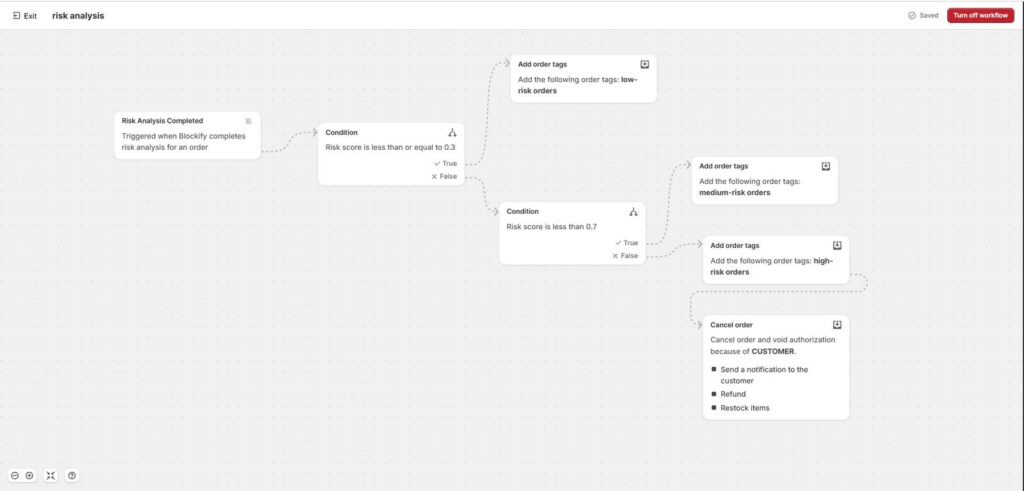
Workflows can be initiated through three native Blockify triggers – Risk Analysis Completed (which supports filtering by the riskScore condition), Order Blocked, and Order Flagged for Review – or through Shopify’s native triggers (Order created, Order paid, Order fulfilled, and Refund created).
Key Advantages of Automated Fraud Prevention for Shopify Merchants
Transitioning from manual fraud reviews to rule-based automation directly protects gross margins and operational efficiency. By leveraging Shopify Flow alongside Blockify’s risk assessment, merchants gain granular control over risk exposure without adding headcount or slowing down warehouse operations.
Prevent Chargebacks and Stop Coordinated Abuse
E-commerce fraud extends beyond stolen payment credentials to include promo code exploitation, deliberate return fraud, and bot-driven checkout runs. Combining Shopify triggers with Blockify’s automated IP blocking allows your store to halt abusive visitors immediately after an infraction occurs, cutting off repeat offenses at the storefront level.’
Eliminate Fulfillment Delays and Protect Buyer Experience
Orders stuck in manual verification queues frustrate buyers and delay same-day shipping guarantees. Pre-configured templates ensure fulfillment holds are applied selectively – such as on mismatched shipping profiles or unusual bulk purchases – while safe orders are automatically released. In addition, automatic allowlisting ensures verified repeat customers checkout smoothly without false flags.
Step-by-Step: Set up Blockify Fraud Filter x Shopify Flow
Activating these automated workflows takes only a few minutes within your Shopify admin and Blockify dashboard. Follow this setup sequence to deploy your chosen templates:
Step 1: Enable Shopify Flow in Blockify Fraud Filter
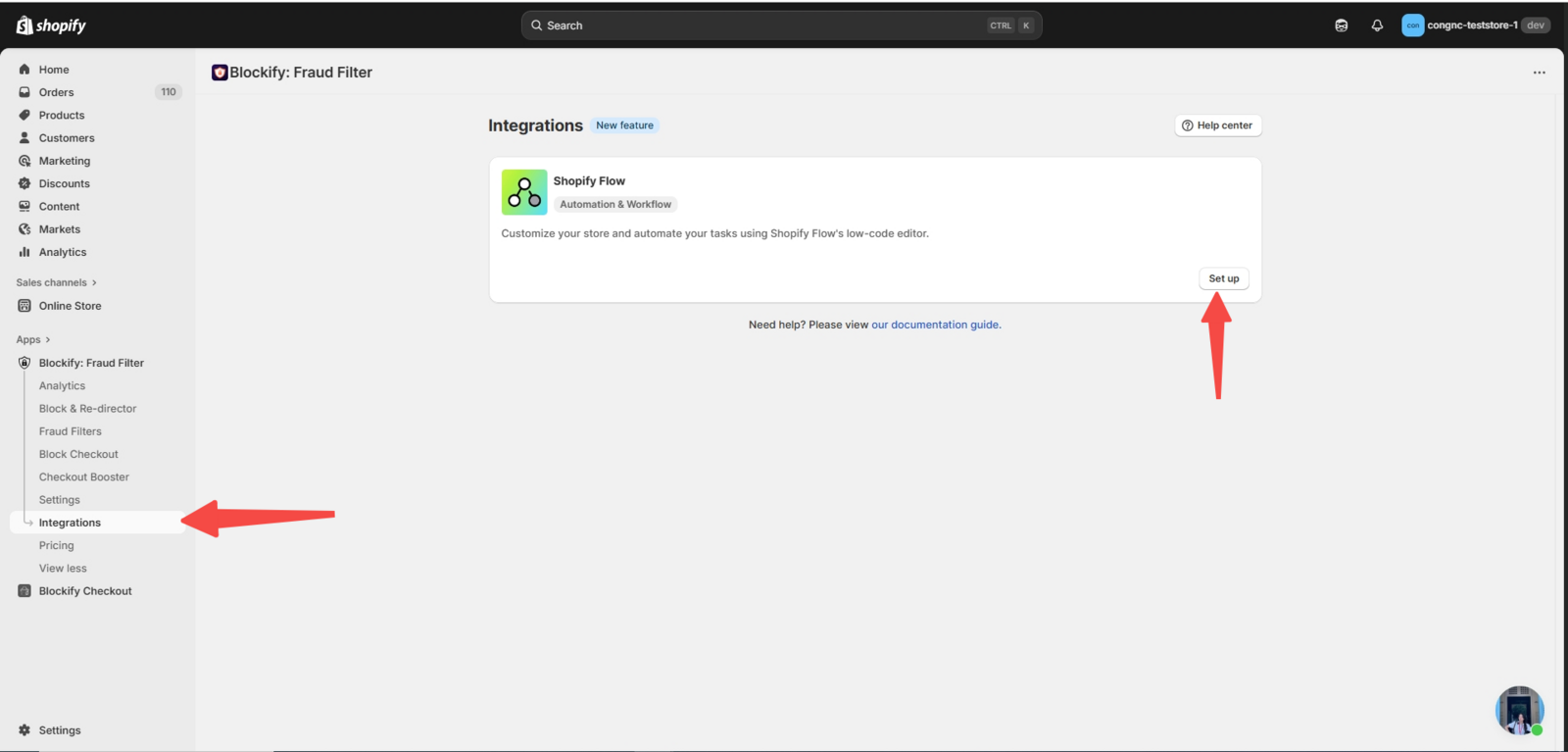
Open the Blockify: Fraud Filter application, select the Integrations tab, and locate the Shopify Flow section. Click Set up, install Shopify Flow if prompted, and set Shopify Flow events to Enabled.
Step 2: Configure Risk Tier Actions in Fraud Filter
Ensure your risk tier settings in Blockify correspond to your desired workflow triggers:
- To utilize the Order Flagged for Review trigger, configure the applicable tier action to Flag order.
- To utilize the Order Blocked trigger, configure the tier action to Block order.
(Note: Templates based on native Shopify triggers – such as Order created, Order paid, Order fulfilled, or Refund created – will execute as long as Blockify is installed, even if Blockify Flow events are disabled.)
Step 3: Select and Customize Blockify Templates in Shopify Flow
In your Shopify admin, navigate to Apps > Flow > Templates and filter the catalog by Blockify to view all 25 pre-built templates. Open your chosen template and review its accompanying Setup note.
Important Configuration Rule: Every template intentionally leaves critical decision thresholds blank (such as minimum order values, item quantities, destination countries, discount codes, tags, or webhook endpoints). These parameters must be completed before activation. For instance, leaving the tier tag blank in a cancellation template will result in all flagged orders being processed for cancellation.
Step 4: Turn On and Monitor Your Active Workflows
Once your thresholds, tags, and notifications are filled in, click Turn on workflow to activate your automated fraud policies.
Strengthen Your Shopify Store’s Fraud Defense with Blockify and Flow
Automated fraud operations allow your team to protect revenue without creating friction for honest buyers. Browse the 25 pre-configured templates in Shopify Flow to establish fraud rules that align with your specific product catalog and risk tolerance.
