
Custom Shipping Protection Widgets | Blockify Shipping Protection

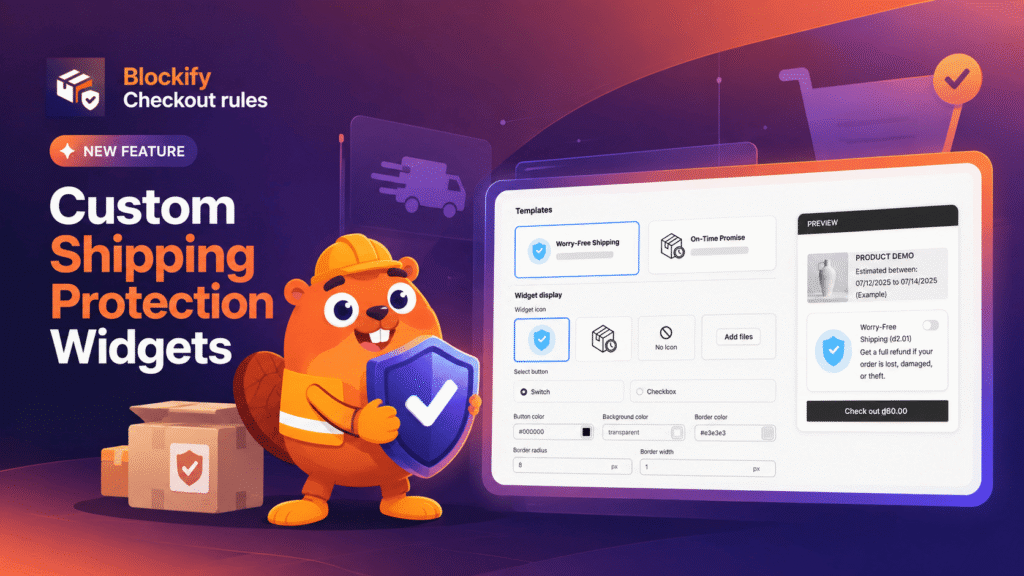
When an order protection widget looks like an unstyled, third-party add-on bolted onto your cart, shoppers notice – and hesitate. Customers already question surprise elements during checkout, and when a protection offer clashes with your store’s typography, palette, or spacing, they skip it. That hesitation directly depresses opt-in rates and leaves merchants absorbing the costs of lost, damaged, or stolen deliveries.
The latest update to Blockify Shipping Protection solves this friction entirely. You can now tailor every visual element of your cart and checkout protection widgets to mirror your store’s aesthetic. With zero code requirements and an instant live preview, you can transform a functional utility into a natural, trustworthy part of your buying experience in just a few clicks.
Customizable Shipping Protection Widgets: New Appearance Settings and Layout Options
This release introduces comprehensive visual customization across widget layouts, typography, and button styling, giving merchants complete control over how protection is presented in the cart.
Dual Layout Architectures: Choose the presentation that best fits your checkout flow:
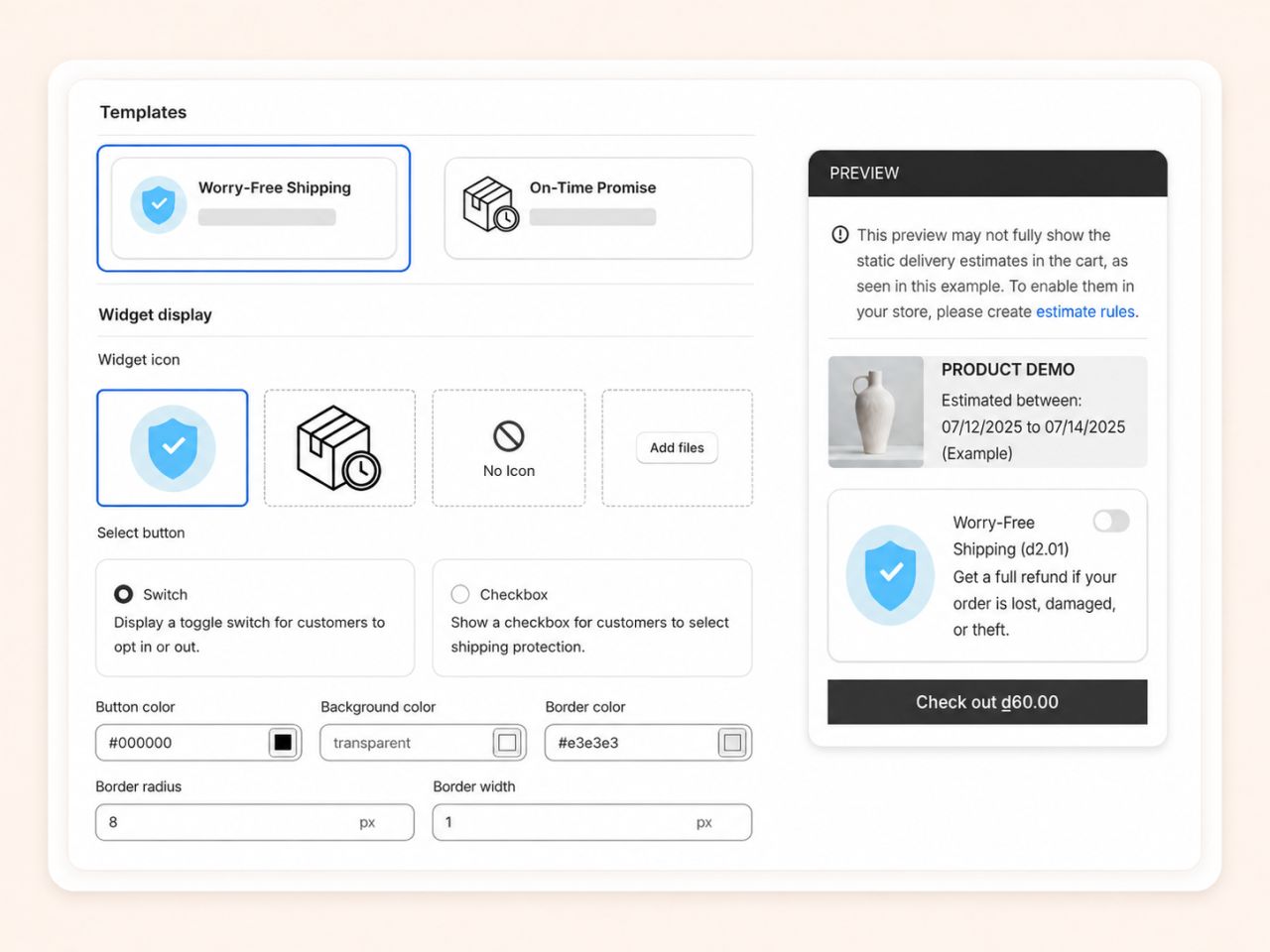
- Standard Widget: An inline card embedded on the cart page featuring either a modern ON/OFF switch or a traditional checkbox, complete with icon controls and background styling.
- Checkout Button Widget: Replaces standard cart buttons with a dual-action layout (“Protected checkout” vs. “Checkout without protection”), giving shoppers a clear, explicit choice before moving to Shopify’s checkout.
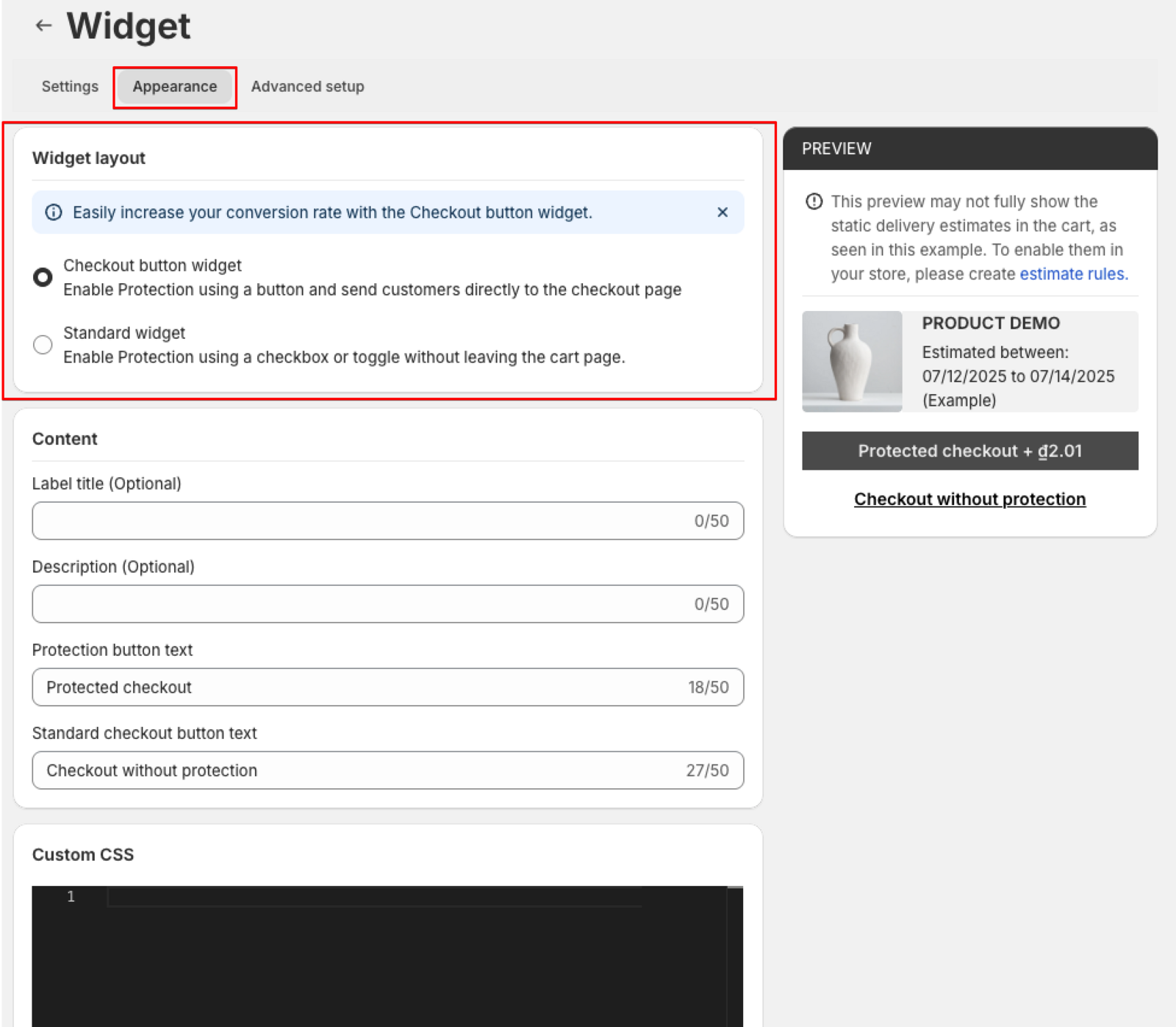
Granular Typography & Content Styling: Text is no longer locked into uniform formatting. The Standard widget features separate tabs for Title style and Text style, allowing you to independently adjust font size, color, and emphasis for headings and supporting descriptions.
Independent Checkout Button Controls: The Checkout button widget separates settings into dedicated tabs for the Protected button and Standard button. Customize font size (14 px default), text color (#ffffff vs. #333333 default), font weight (Normal, Semibold, Bold), border widths, corner radius, and button background colors independently.
Ready-Made Presets & Custom CSS: Jumpstart setup using built-in templates – such as Worry-free shipping (shield icon for damage/theft coverage) or On-time promise (package-timer icon for delivery guarantees). For advanced storefronts, a raw Custom CSS field allows pixel-perfect overrides.
Flexible Color Picker & Live Preview: Enter hex values, paste RGB codes, or choose directly from visual swatches. The integrated live preview reflects every border, radius, and color adjustment in real time as you make them.
Workflow Improvement: Store operators no longer need developer support or manual Liquid theme edits to blend shipping protection into custom themes. Everything can be tested, customized, and styled directly within the app admin in minutes.
Driving Shopify Cart Conversions: The Business Impact of On-Brand Protection
In e-commerce checkout flows, design consistency directly influences buyer trust, checkout completion, and bottom-line revenue.
- Higher Protection Opt-In Rates Through Design Cohesion: Third-party components that look out of place trigger shopper skepticism. When protection options seamlessly reflect your brand’s colors, corner radiuses, and typography, shoppers view the service as an authentic store guarantee, increasing opt-in rates and shielding your margins from shipping disputes.
- Reduced Cart Friction and Zero Developer Overhead: Eliminating theme code modifications keeps your store lightweight and prevents broken layouts during theme updates. Store managers can quickly test different widget presentations, update text copy (up to 50 characters for button labels), or attach custom refund policy links without opening a development ticket.
How to Configure and Style Your Shipping Protection Widget in Blockify
All appearance settings are accessible directly inside your app admin without editing theme templates or writing custom code. Follow these steps to set up your on-brand widget:
- Select Your Layout: In the Blockify Shipping Protection dashboard, navigate to Widget layout and select either the Standard widget (inline toggle/checkbox) or the Checkout button widget (dual action buttons).
- Apply Presets and Content: If using the Standard layout, select a preset template (Worry-free shipping or On-time promise) before styling, as applying a template resets default styles. Configure your title, business text, custom icon (SVG/PNG/JPG up to 5MB), and policy URL. If using the Checkout button layout, configure your label title and button text fields.
- Refine Styling in the Live Preview: Use the dedicated styling tabs to match your theme’s font weights, borders, corner radius, and colors using hex codes or swatches. Check your adjustments against the real-time preview, then hit save.
Keep Your Checkout On-Brand
Give your customers the confidence to protect their deliveries with an experience that feels built specifically for your store.
Install or update Blockify Shipping Protection on the Shopify App Store to customize your widget today.
