
Introducing Estimated Tax & Duties for your international checkout

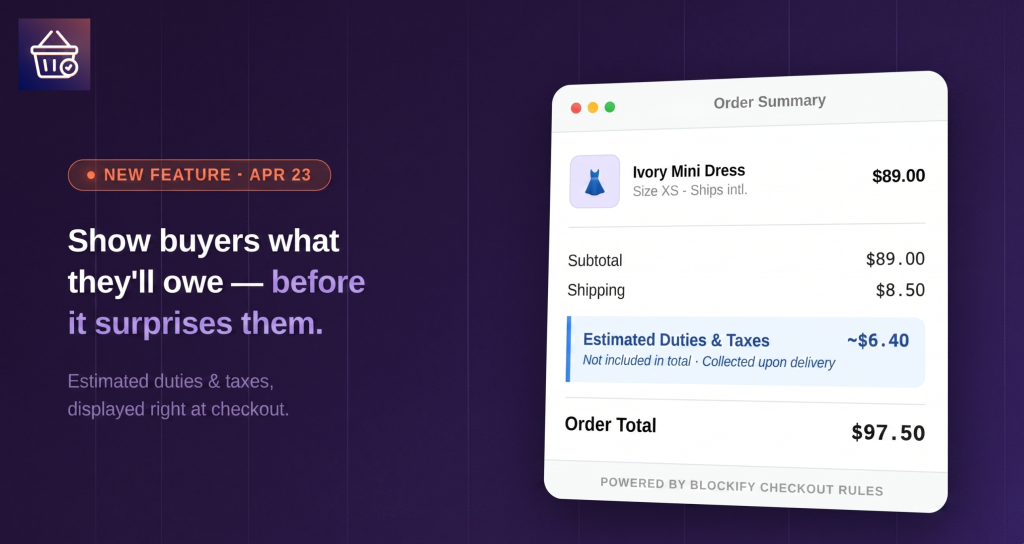
“Taxes and duties may apply.”
It’s a standard phrase in e-commerce, but it’s a quiet conversion killer. For an international buyer, that sentence represents a “financial mystery” that often leads to abandoned carts or, worse, refused deliveries at the doorstep.
According to recent data, 49% of cross-border buyers refuse delivery when unexpected fees appear upon arrival. Even more staggering? 75% of those customers will never buy from that merchant again. Beyond the lost loyalty, each refused delivery triggers a chargeback process that can cost $38 in fees alone – before you even count the lost revenue.
At Blockify Checkout Rules, we built a fix for this. We are officially launching Estimated Tax & Duties, a powerful feature designed to replace uncertainty with transparency.
Stop the “Surprise” Tax – Start Building Trust
The Estimated Tax & Duties feature allows you to display a calculated tax estimate to your international customers directly within the checkout flow. While this estimate is informational only and doesn’t change the final order total, it gives buyers the clarity they need to click “Purchase” with confidence.
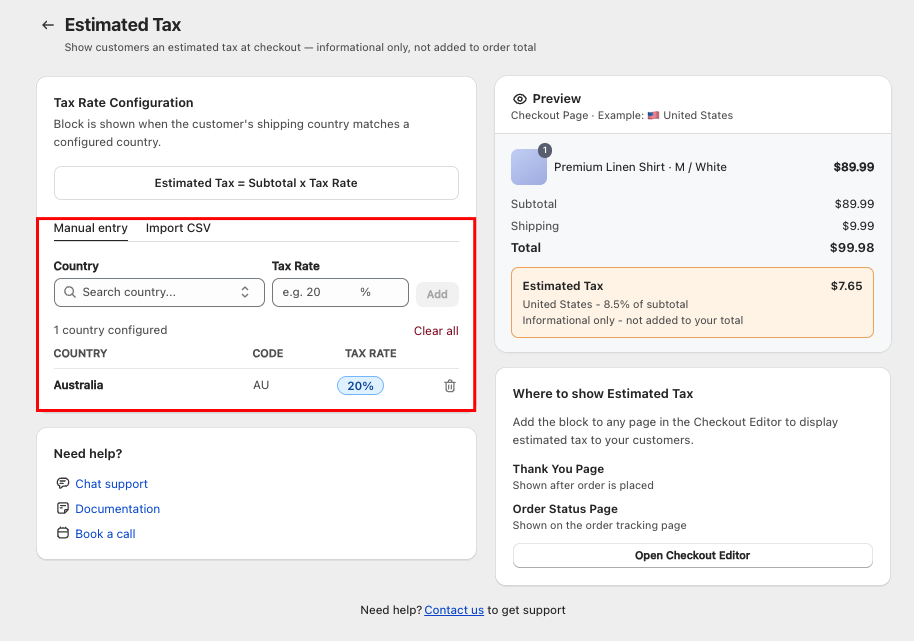
How it works: The block calculates an estimate using a simple formula: Subtotal × Tax Rate (based on the shipping country). You have full control over the rates, allowing you to tailor the experience for every market you serve.
Where Your Customers Will See It
Visibility is key to reducing anxiety. You can now place these estimates at three critical moments in the buyer journey:
- Checkout Page (Shopify Plus Only): Maximum transparency before the payment is even made.
- Thank You Page: Instant reassurance right after the order is placed.
- Order Status Page: A helpful reminder while the customer tracks their shipment.
By keeping the estimate visible throughout the journey, you ensure that no one is surprised when the package arrives.
How to Set It Up in 3 Easy Steps
We’ve made the configuration as simple as possible so you can start protecting your international sales today.
Step 1: Configure Your Rates
In the Tax & Duty tab of the Blockify admin, you can manually enter tax rates for specific countries or upload a CSV file for bulk setup across all your international markets.
Step 2: Add the Banner
Open the Shopify Checkout Editor directly from our dashboard. Add the Estimated Tax Banner block to your chosen pages. You can even customize the Title and Description using variables like {{tax}} and {{country}}.
Step 3: Activate
Once your rates are set and your blocks are placed, simply toggle “Activate Estimated Tax” to On. The feature goes live immediately.
For more details, check our guide here
Plan Availability
Whether you are just starting your global journey or managing an international empire, there is a tier for you:
- Free / Basic: Up to 1 country. Add blocks to the Thank You and Order Status pages.
- Premium: Unlimited countries. Add blocks to the Thank You and Order Status pages.
- Plus (Shopify Plus Stores): Unlimited countries across all pages, including the Checkout Page.
Have questions about setting up your international tax rules? Our support team is here to help you navigate the setup – just reach out via live chat or reply to this post!
