Protecting your margins shouldn’t feel like a game of whack-a-mole. We’ve all been there: a private discount code ends up on a coupon site, or a customer manages to “stack” deals in a way you never intended.
By the time you see the order, the revenue is already lost.
That changes today. We are excited to introduce Checkout Discount Rejection for Blockify Checkout Rules – your new line of defense to stop discount abuse before the order is even placed.
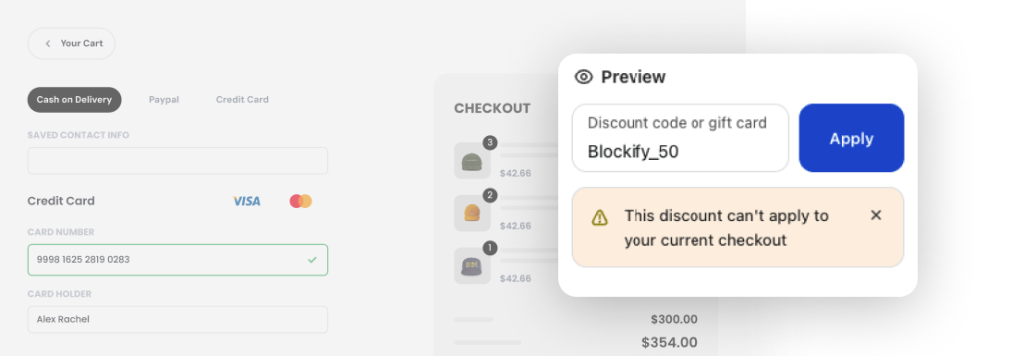
Unlike standard rules that might block a whole customer, Discount Rejection is a surgical tool. It allows you to monitor manual discount codes in real-time at the checkout. If the conditions aren’t met, Blockify rejects the code and explains exactly why to the customer.
This feature is a must-have if you want to:
We’ve built this to be powerful yet simple to configure within your Checkout Rules dashboard.
Step 1: Create the Rule
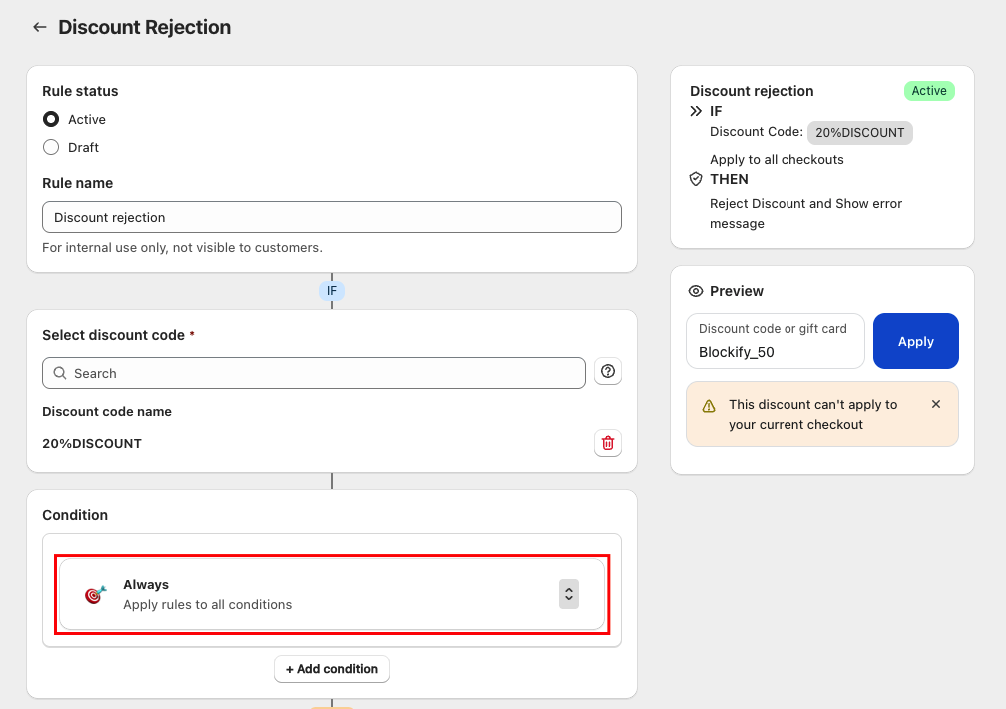
Open the app and select the new Discount Rejection option.
Step 2: Select Your Codes
Choose the specific manual discount codes you want to control.
Note: This feature focuses on manual codes entered by customers, as automatic discounts apply silently.
Step 3: Define Your Conditions
Use AND / OR logic to set strict boundaries based on:
Step 4: Craft Your Message
Write a custom error message. This is your chance to turn a “rejection” into an “upsell” by guiding the customer on how to qualify for the deal.
💡 With major sales events like Black Friday and New Year Eve on the horizon, Discount Rejection is your best friend. You can now automate your promo rules, ensuring that your “Buy 1 Get 1” or “30% Off” campaigns stay exactly within the parameters you set.
You have the platform. Now get the tool that actually protects it.
Ready to lock down your discounts? Check out our full documentation for a deep dive into advanced logic, or ping our support team via live chat. We’re always here to help you keep your store secure and profitable.