When you’re fighting fraud, data is your best weapon – but only if you can actually use it. We know that exporting a massive spreadsheet filled with columns you don’t need (like ISP names or bot categories) can make analysis feel like a chore.
That’s why we’ve upgraded Blockify Fraud Filter with a smarter, leaner export system. Say goodbye to “data bloat” and hello to precisely the information you need.
Instead of a “one-size-fits-all” download, Blockify now gives you total control over your visitor data. By choosing only the relevant fields, you get:
Faster Downloads: No more waiting for massive files to process.
Easier Analysis: Open your files in Excel or Google Sheets without having to delete 15 irrelevant columns first.
Reduced Noise: Focus on what matters – like IP addresses, risk scores, and action statuses.
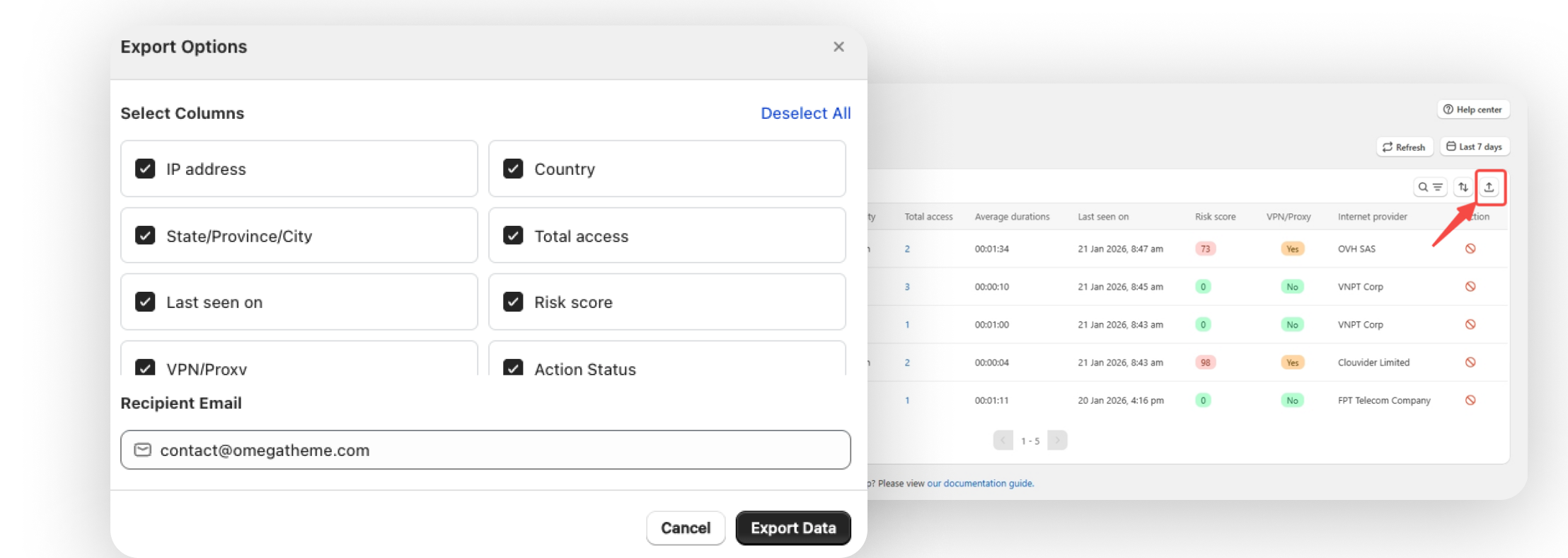
We’ve integrated these options directly into your existing workflow. Here is how to get your custom report in seconds:
Filter Your View: On the Visitors Analytics screen, set your desired date range (e.g., Last 60 days) and risk levels. The export will automatically respect these filters.
Hit Export: Click the Export button.
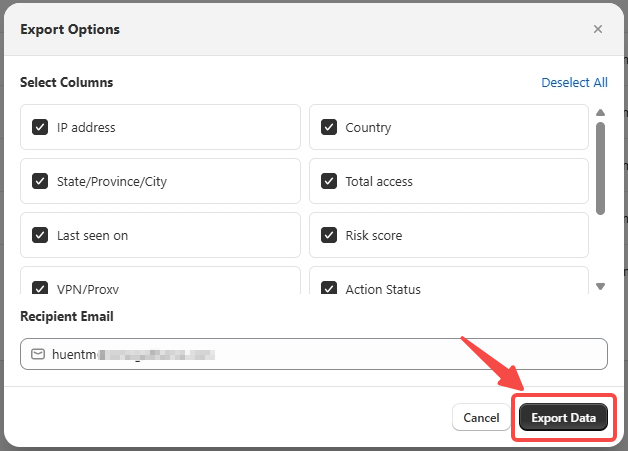
Pick Your Columns: A modal will appear allowing you to check or uncheck specific data fields. (Pro tip: You must select at least one!)
Choose Your Destination: Confirm your email address. We’ll send the refined .xlsx file straight to your inbox.
The “Hidden” Button: If you’re currently editing or adjusting filters, the Export button stays hidden to prevent errors. Simply click Cancel or Apply to exit the filter state, and the button will reappear!
Email Delivery: To keep your browser running fast, we process these files on our servers and email them to you. Check your Shopify contact email, or enter a custom one right in the export modal.
You can find the full step-by-step guide here:
📄 View documentation
This update is live for all Blockify users. Head over to your analytics dashboard and try a custom export today to see how much cleaner your data can be.