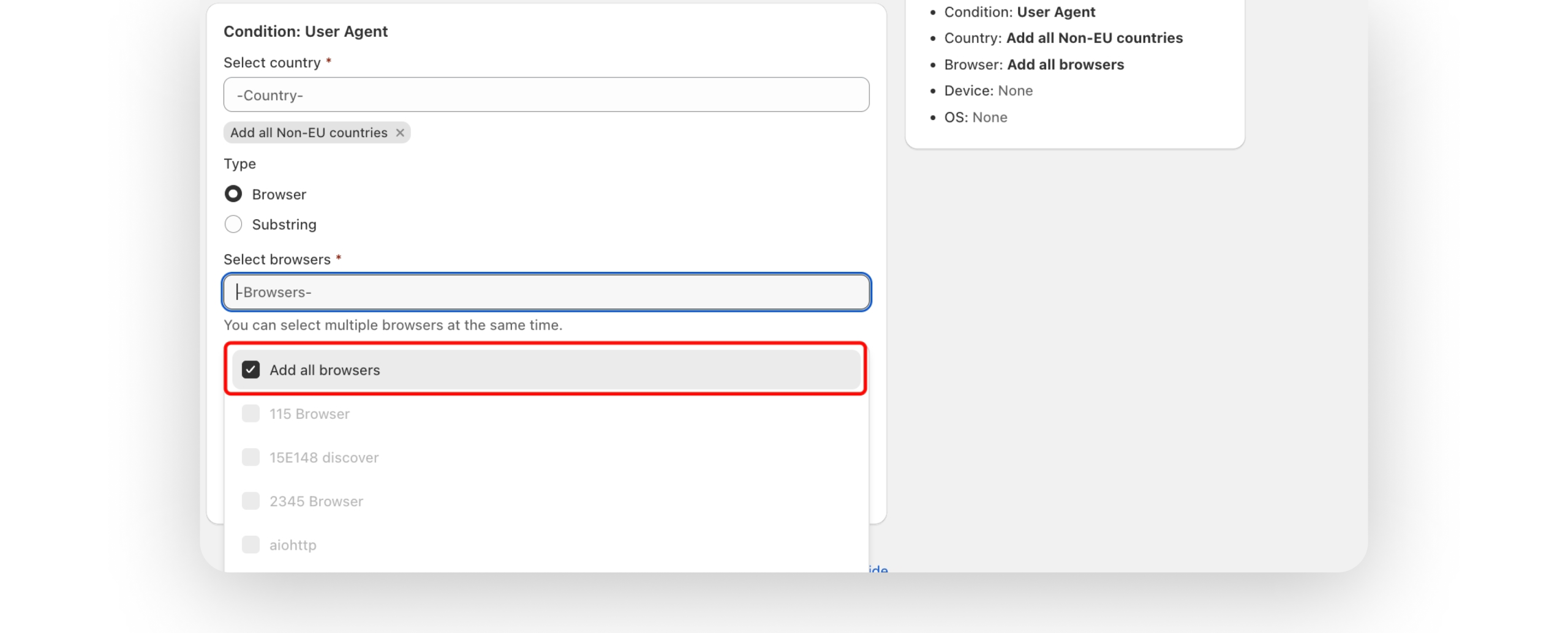
Maintaining a secure store shouldn’t feel like a manual chore. At Blockify Fraud Filter, our goal is to give you maximum protection with minimum effort. That’s why we’ve just released a streamlined update to our Block User Agent feature that changes the way you manage browser traffic. Tired of checking off browsers one by one? Our latest update introduces the “Select All Browsers” option, allowing you to secure your store against specific traffic sources or bots in a single click. It’s faster, more accurate, and ensures no browser is accidentally left unchecked.
Managing a growing blacklist of browsers can be time-consuming. This handy improvement to the Block User Agent tool offers several key advantages:
Comprehensive Coverage: Block all traffic from a specific source without missing a single browser version.
Better Bot Prevention: Easily catch bots that attempt to disguise themselves as different browsers.
Increased Efficiency: Select all browsers first, then simply deselect the ones you don’t need – a workflow that is significantly faster than manual selection.
Zero Human Error: No more worrying about accidentally skipping a browser when creating a new security rule.
Ready to try it out? Setting up a new rule is simple and follows the same intuitive flow you’re used to:
Navigate: Open the “Blocker & Re-director” tab in the Blockify app.
Select Action: Click “Block” and select “Block user agent”.
Set Status: Choose “Enable” to make the rule active immediately.
Configure: Create or edit a rule, and look for the new “Add all browsers” option at the top of the list.
Finalize: Click “Save” to store the rule in your blacklist.
Check our Full guide here
Browser blocking is just one part of the Blockify defense system. You can also define access rules based on a wide range of criteria to keep your store safe:
IP Intelligence: Block specific IP addresses, ranges, or ISPs using the Proxycheck.io database.
Geographic Control: Restrict access by country, state, or even specific provinces.
Traffic Source Protection: Block traffic from specific referrer URLs or those containing suspicious substrings.
Content Shield: Protect specific products, collections, or custom pages from unwanted visitors.
Got feedback or an idea for our next update? We read every message! Just reply to this post or ping us in the app. We’re here to help you grow your store with total peace of mind.