We’re excited to announce that Blockify Checkout Rules is now fully integrated with Shopify Flow. This update brings a whole new level of automation to your store, giving you more control, significantly less manual work, and smoother checkout operations.

If you love efficiency, you are going to love this.
Your checkout is the most critical part of your sales funnel. Until now, managing what happens during and after the checkout often required manual checks or complex workarounds.
With the new Shopify Flow integration, you can now trigger automated actions based strictly on what happens inside your checkout. This means you can track upsells, route special orders, notify your team, and build smarter workflows – automatically.
This integration enables powerful automation scenarios without requiring a single line of custom code. Here are just a few ways you can use it to streamline your business today:
Stop guessing which orders included an upsell. You can now automatically tag orders when a customer accepts a product offer.
Scenario: A customer accepts a “One-Time Offer” directly on the checkout page or the Order Status Page.
Automation: Shopify Flow instantly tags the order with blockify_checkout_upsell or osp_upsell.
Benefit: Easily filter and analyze your AOV-boosting wins.
Does an order require gift wrapping, specific delivery notes, or wholesale verification? Don’t let these slip through the cracks.
Scenario: A customer submits a custom field (like “Gift Wrap”) during checkout.
Automation: The order is automatically tagged custom_field_submitted.
Benefit: Your fulfillment team sees the tag immediately and knows exactly how to handle the package.
Keep your finger on the pulse of your store without staring at the dashboard.
Scenario: An order is successfully created after passing specific Blockify validation rules.
Automation: Trigger a Slack message or an email to your operations team.
Benefit: Monitor checkout friction and get instant alerts on high-priority orders.
Protect your inventory and revenue by automating risk management.
Scenario: Blockify flags a high-risk transaction.
Automation: Automatically cancel the order instantly.
Setting this up is simple. You just need the Shopify Flow app installed and Blockify Checkout activated on your store, at least one Blockify feature enabled (Checkout Rule, Checkout Component, etc.).
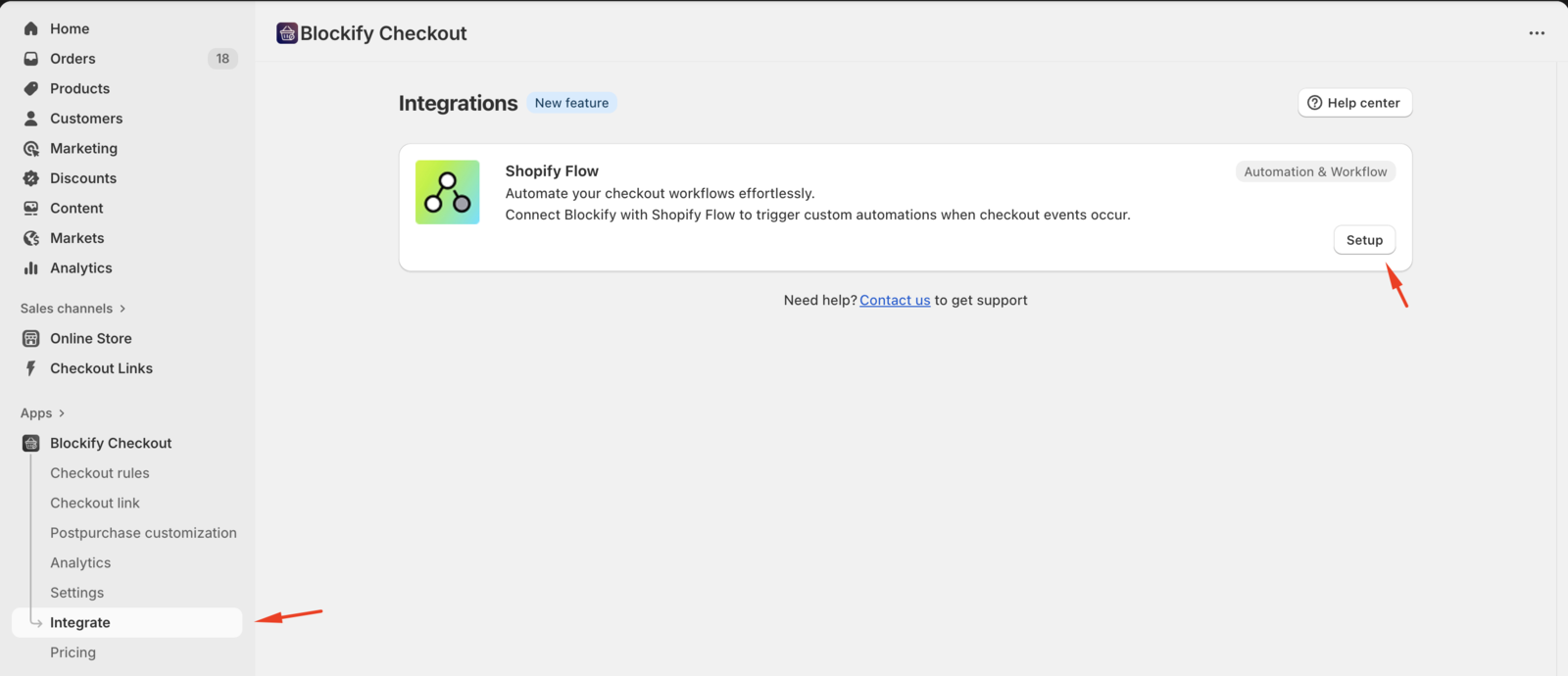
Open the Blockify Checkout app.
Go to the Integration tab and click “Set up” under Shopify Flow.
Enable the integration to start creating workflows.
For a step-by-step walkthrough on how to build these workflows, check out our full guide here: 👉 Read the Integration Guide
We know automation can be daunting at first. If you want help setting up your first automation or aren’t sure how to build a specific workflow, just reach out to support. We’ll walk you through it!